Previous: (y-09) Perception and Psychology | AR Index | Next: (y-11) Immersive Analytics
Mental Model First
- An adverse health effect is anything a VR system does to the user that degrades their health (Jerald 2016). The lecture covers VR sickness (and motion sickness in particular), eye strain, and a longer tail of physical-fatigue, injury, and hygiene problems.
- VR sickness is an umbrella for three overlapping causes. Motion sickness comes from real or apparent motion. Simulator sickness comes from shortcomings of the simulation itself. Cybersickness is visually induced motion sickness from immersion in a VR world. The same user can report any combination of them after the same session.
- Five theories explain motion sickness, none of them complete. Sensory conflict, evolutionary protection, postural instability, and rest-frame all give partial answers. The unified model (Jerald, Prothero, Parker) wraps them in a control loop: the brain has a mental model, builds a state estimate from sensory input, drives actions, and predicts how those actions should change the next sensory input. Sickness happens when the prediction fails.
- Adverse effects come from three factor groups. System factors (latency, calibration, tracking precision, FoV, display persistence, headset fit, temperature, screen cleanliness). Application design factors (frame rate, locus of control, visual acceleration, physical head motion, duration). Individual factors (sensitivity, adaptation rate, recovery, prior motion-sickness history, health, VR experience, expectations, gender, age).
- The design payoff is a small set of guidelines: lightweight HMDs with no flicker and precise tracking, careful calibration, minimised latency with prediction or post-render warping, sitting tasks, slow head motion, real-world stabilised cues serving as a rest frame, world-as-object viewpoint control, short sessions for new users, SSQ and physiological measurements to monitor.
1. What Is an Adverse Health Effect
Jerald (2016) defines an adverse health effect as any problem caused by a VR system that degrades the user's health. This lecture covers VR sickness (especially motion sickness), eye strain, and other health challenges.
Adverse effects in VR are not edge cases. Disney’s Mission: SPACE shipped with a printed caution sign warning riders about nausea, headache, dizziness, and disorientation. Sony’s Gran Turismo VR trades realism for the same risk. The point of the lecture is that these effects are predictable, factorable into causes, and partially designable away.
The three buckets the rest of the lecture works through:
- VR sickness, in particular motion sickness.
- Eye strain from optical and rendering causes.
- Other health challenges: readaptation, physical fatigue, fit and hygiene, injury.
2. VR Sickness, Motion Sickness, Simulator Sickness, Cybersickness
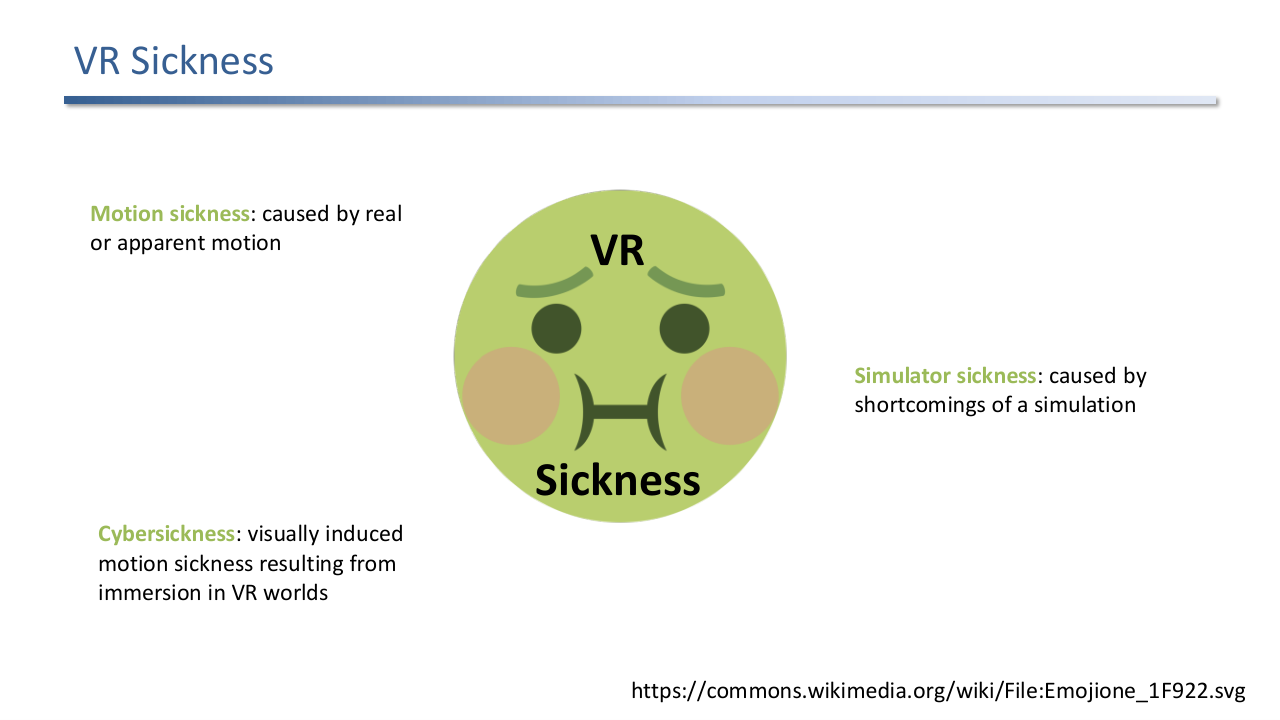
VR sickness as a Venn-style umbrella. Motion sickness from real or apparent motion. Simulator sickness from shortcomings of the simulation. Cybersickness as visually induced motion sickness from VR immersion.
The terminology is overlapping rather than disjoint, which matters because researchers measure them with different instruments:
- Motion sickness: caused by real or apparent motion. The historical reference category (travel sickness in vehicles, ships, planes).
- Simulator sickness: caused by shortcomings of a simulation rather than true motion. Generally less vomiting than travel sickness; symptoms cluster around oculomotor and disorientation factors.
- Cybersickness: visually induced motion sickness specifically from immersion in VR worlds. The newest category and the most distinctive to head-mounted displays.
2.1 Motion Sickness
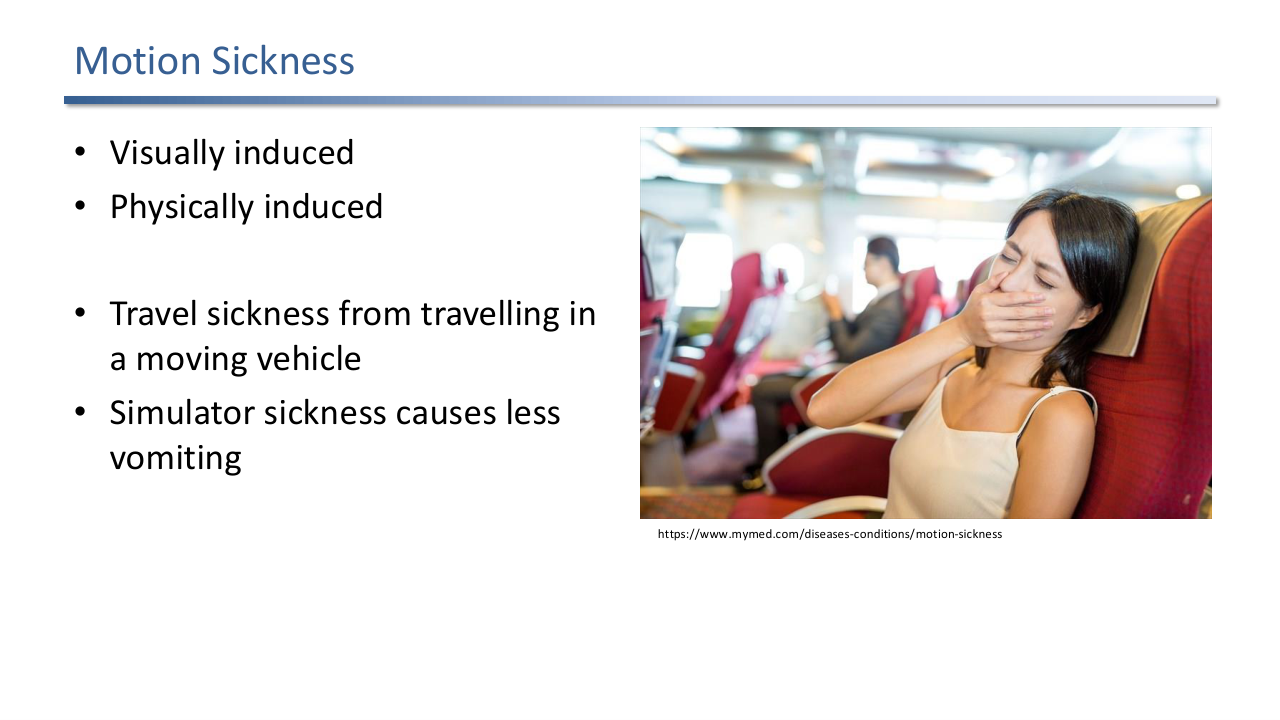
Motion sickness can be visually induced or physically induced. Travel sickness comes from moving vehicles; simulator sickness causes less vomiting than travel sickness.
Two practical sub-types matter for VR design:
- Visually induced: the eyes see motion that the body does not feel. The dominant trigger in seated VR.
- Physically induced: the body feels motion that the eyes do not match. Less common in HMDs unless the user is on a moving platform.
2.2 Scene Motion and Vection
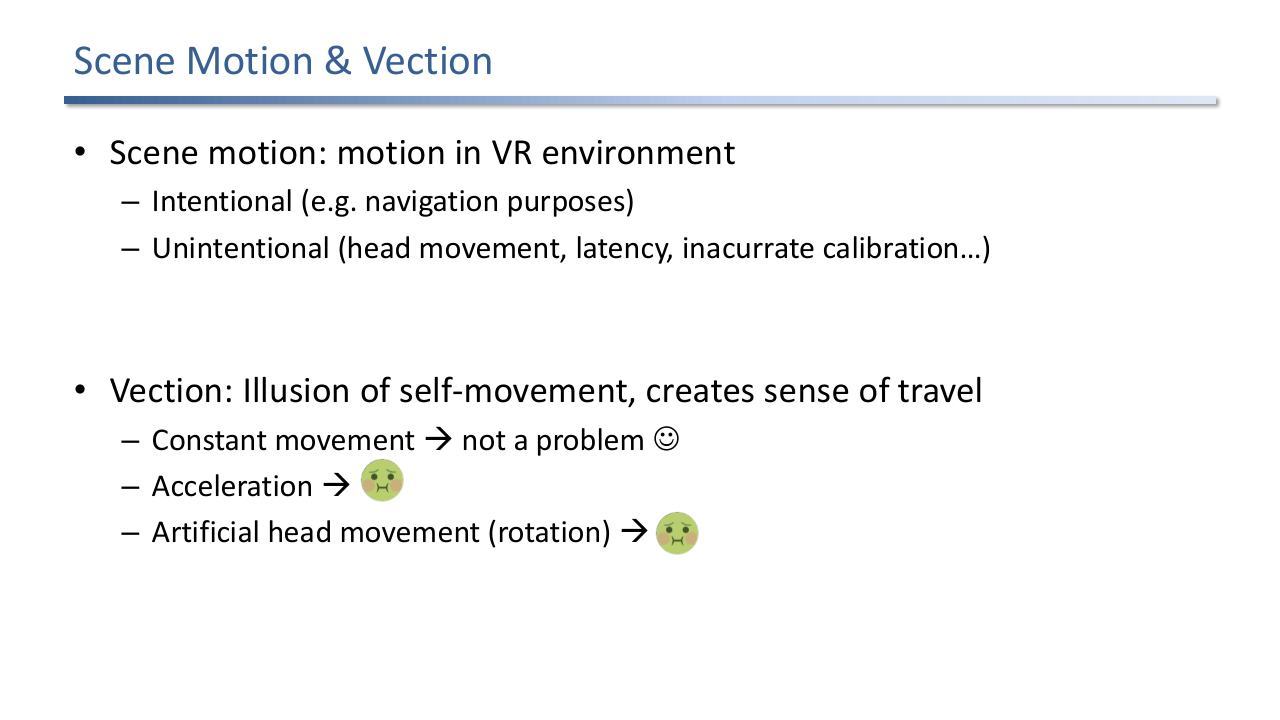
Scene motion is any motion in the VR environment, intentional (navigation) or unintentional (head movement, latency, calibration drift). Vection is the illusion of self-movement. Constant vection is mostly tolerable; acceleration and artificial head rotation are not.
Two distinctions that drive a lot of design choices:
- Scene motion is anything moving in the VR environment. Intentional motion is part of the experience (navigating, watching a scripted animation). Unintentional motion comes from head movement plus latency, calibration drift, or tracking jitter; this is the dangerous category because the brain expects the scene to stay still.
- Vection is the illusion of self-movement created by visual flow. Constant vection (gliding at a fixed speed) is mostly tolerable, like a train ride. Acceleration and artificial head rotation trigger sickness because the visual cue does not match the vestibular cue.
3. Theories of Motion Sickness
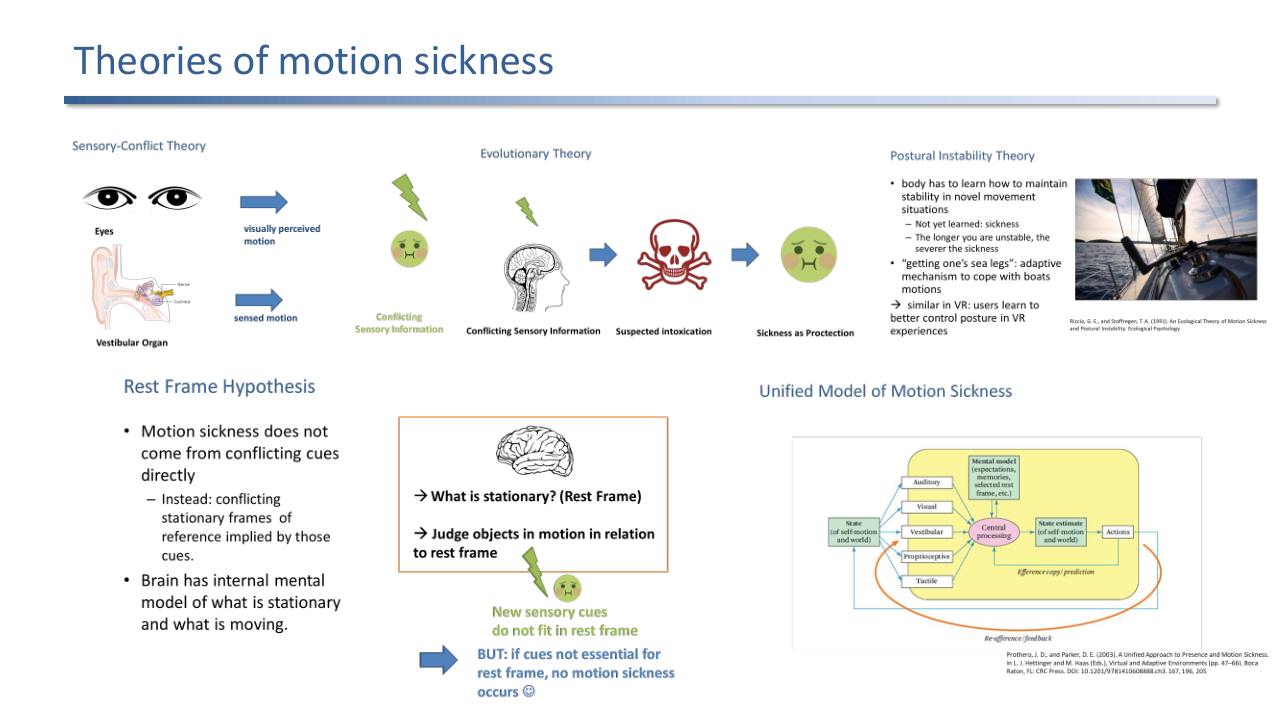
Five theories of motion sickness, none complete: sensory conflict, evolutionary, postural instability, rest frame, and the unified model that wraps the others in a control loop.
No single theory explains all observed motion sickness. The lecture goes through five.
3.1 Sensory-Conflict Theory
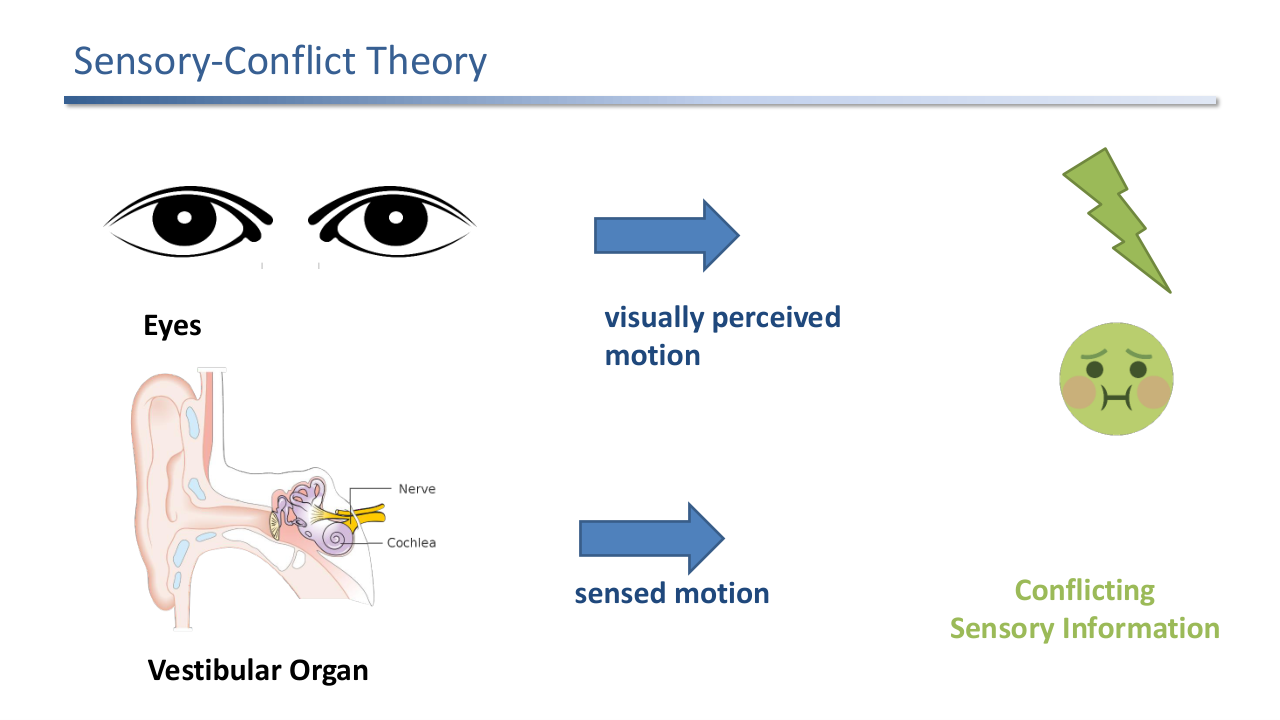
The eyes report visually perceived motion; the vestibular organ reports sensed motion. When the two disagree, conflicting sensory information is the proximate cause of sickness.
The most-cited explanation: motion sickness arises when the eyes report one motion and the vestibular system reports another. The mismatch is the trigger. VR sickness in particular is sensory conflict by design, because the head is stationary or moving in one way while the rendered world moves in another.
3.2 Evolutionary Theory
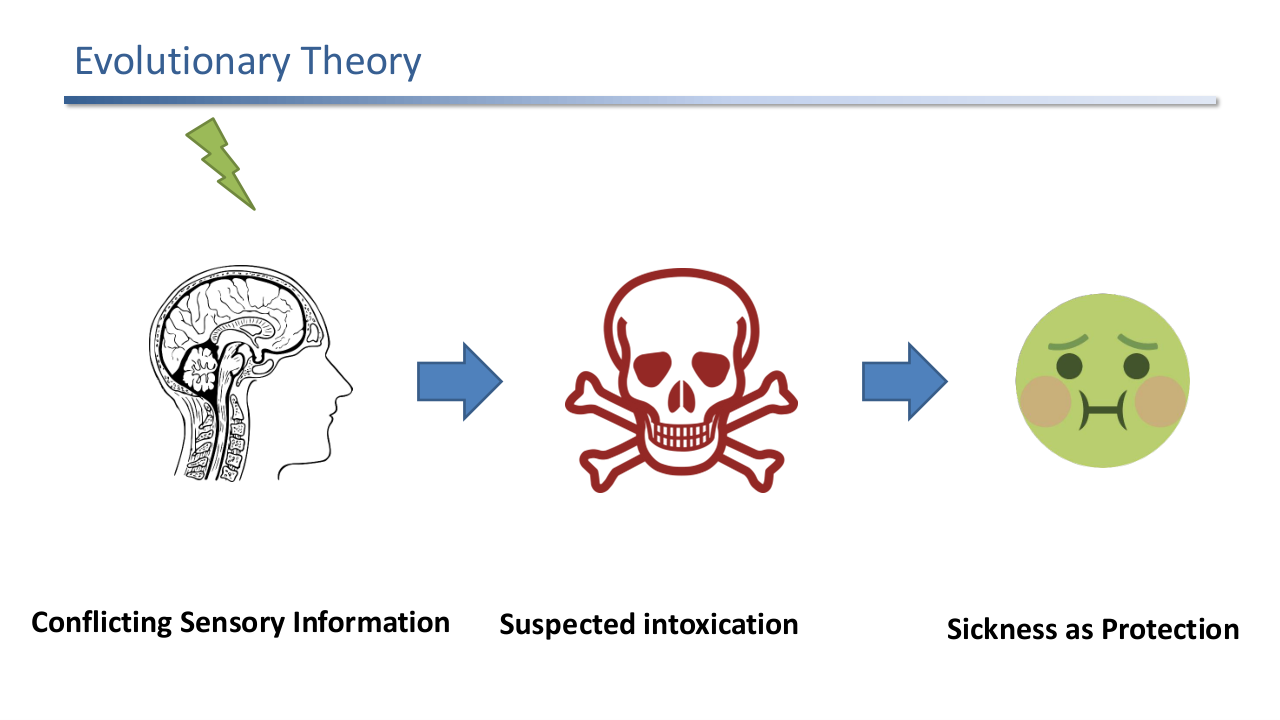
Evolutionary theory: conflicting sensory information looks to the brain like intoxication, so the body responds with sickness as a protective expulsion mechanism.
A complementary why: the conflict pattern resembles being poisoned (an intoxicated animal sees the world swim). The body’s response is vomiting and lethargy, evolved to expel the toxin and rest. Motion sickness is then a side effect of the same protective circuitry.
3.3 Postural Instability Theory
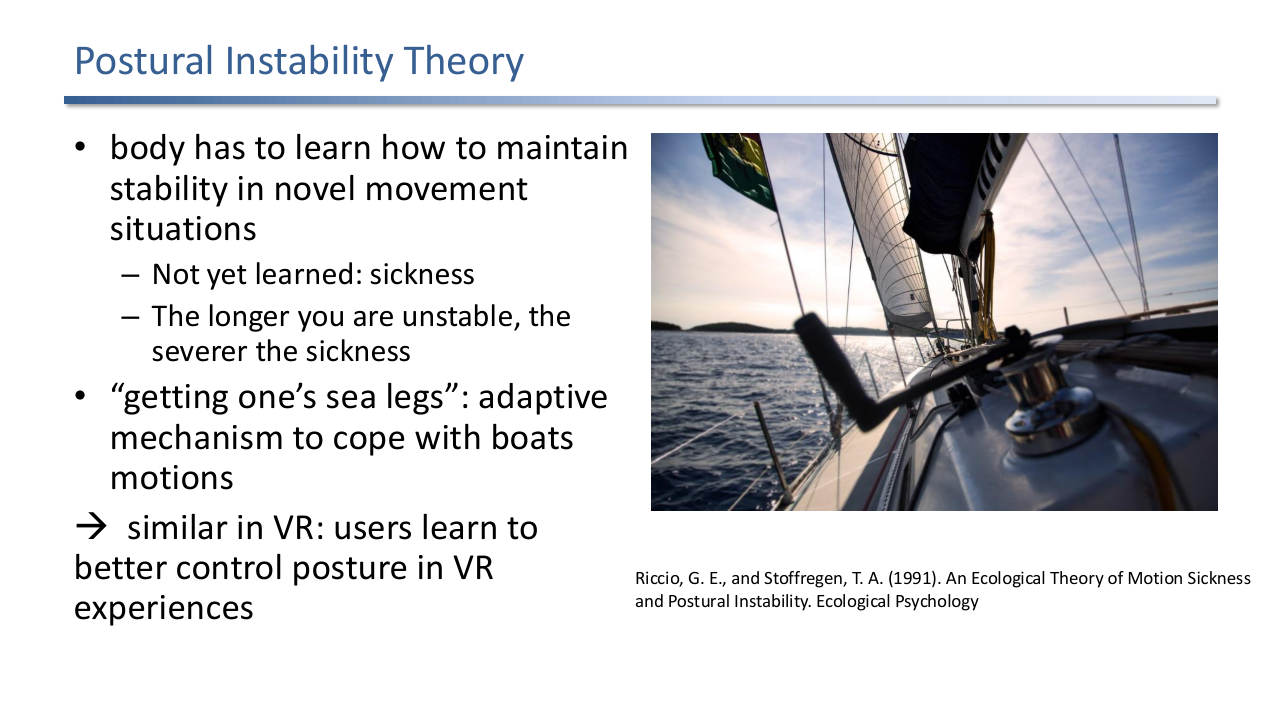
Riccio and Stoffregen (1991): the body has not yet learned to maintain stability in a novel movement situation. The longer the instability, the worse the sickness. "Getting one's sea legs" is the adaptive endpoint; the same story applies to VR.
Riccio and Stoffregen’s ecological account: the body has not yet learned how to maintain postural stability in a novel situation, and instability itself produces sickness. The longer the instability lasts before adaptation, the worse the sickness. The classic illustration is a sailor “getting their sea legs” over a few days. Users develop the same adaptation to a particular VR locomotion scheme over repeated sessions.
3.4 Rest Frame Hypothesis
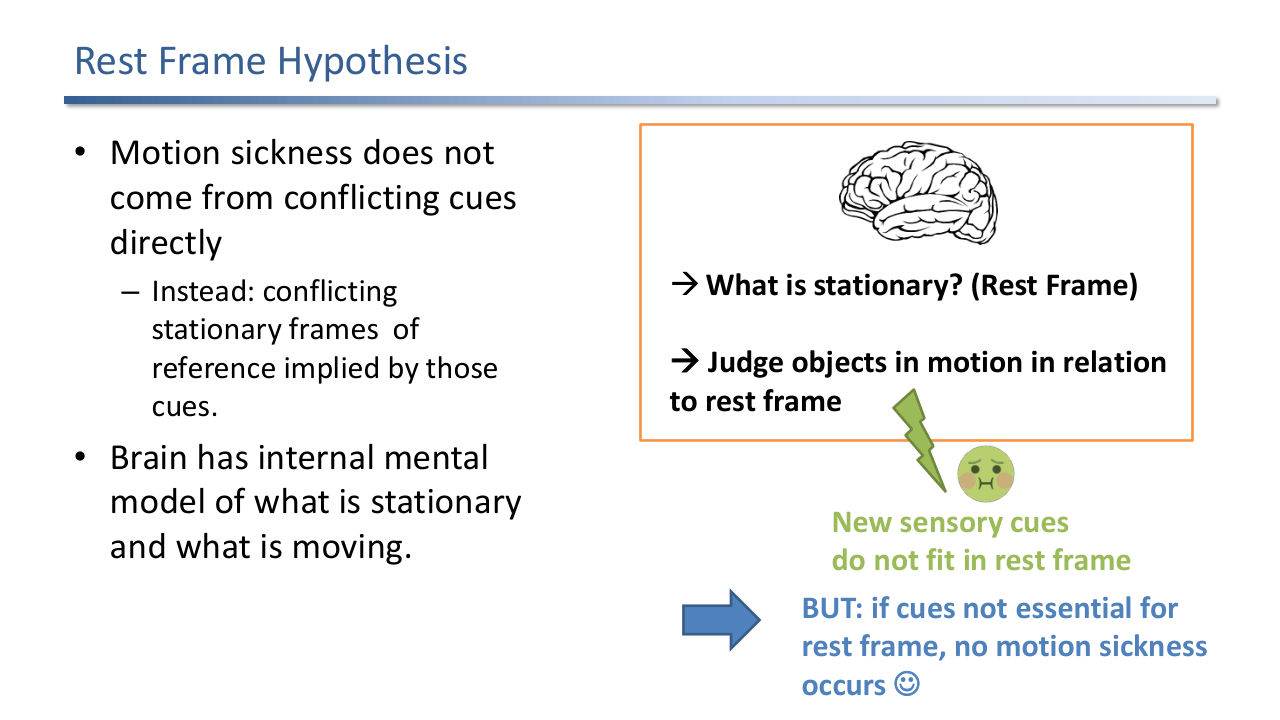
Rest frame hypothesis: motion sickness comes not from the cues themselves but from conflicting stationary frames of reference implied by those cues. If the conflicting cues do not bear on the chosen rest frame, no sickness.
A refinement of sensory conflict: the brain does not compare raw cues, it compares implied rest frames. Each cue implies an answer to “what is stationary in this scene?” When two cues imply different rest frames, sickness follows. The corollary is empirically useful: if a conflicting cue is not load-bearing for the rest frame (a small moving object in the periphery), no sickness occurs. This justifies adding a visible cockpit or other stable visual anchor.
3.5 Unified Model
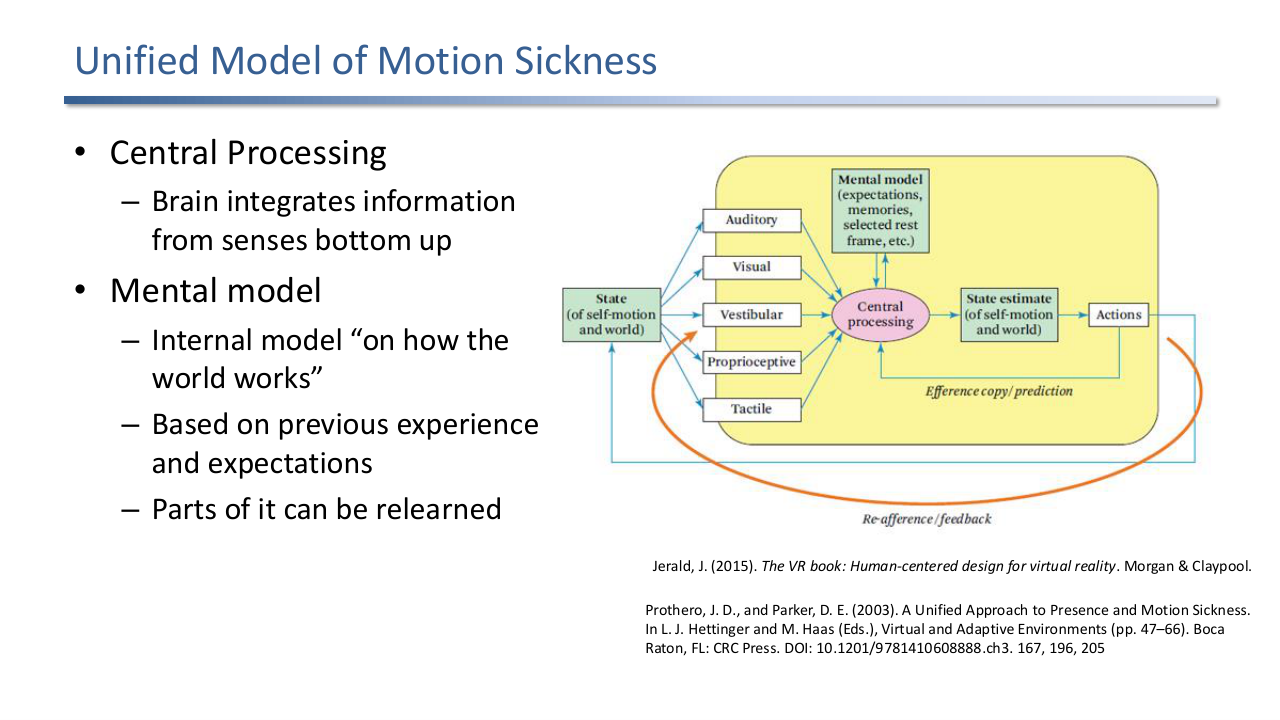
Jerald, Prothero, Parker unified model: sensory streams (auditory, visual, vestibular, proprioceptive, tactile) feed central processing, which uses a mental model and an efference copy/prediction loop to produce a state estimate and drive actions; mismatches in the loop produce sickness.
The unified model puts the previous theories into a control loop:
- State of the world: objective motion between user and environment.
- Sensory input: multimodal perception of motion (auditory, visual, vestibular, proprioceptive, tactile).
- Central processing: the brain integrates the senses bottom-up.
- Mental model: expectations, memories, the currently selected rest frame. Updatable over time.
- State estimate: the brain’s current best guess at self-motion and world-motion. Continuously revised.
- Actions: posture adjustments, eye rotation, physiological responses (sweating, vomiting). Triggered to keep the state estimate stable.
- Prediction and feedback: actions are coupled to a prediction (efference copy) of how they should change the sensory input. When the prediction fails, sickness follows.
This wraps sensory conflict (mismatch at input), evolutionary protection (action set is poison-response heritage), postural instability (action loop fails to stabilise posture), and rest frame (mental model picks the wrong stationary frame) into one diagram. Different users and conditions emphasise different parts.
4. Eye Strain and Other Adverse Effects
4.1 Accommodation-Vergence Conflict
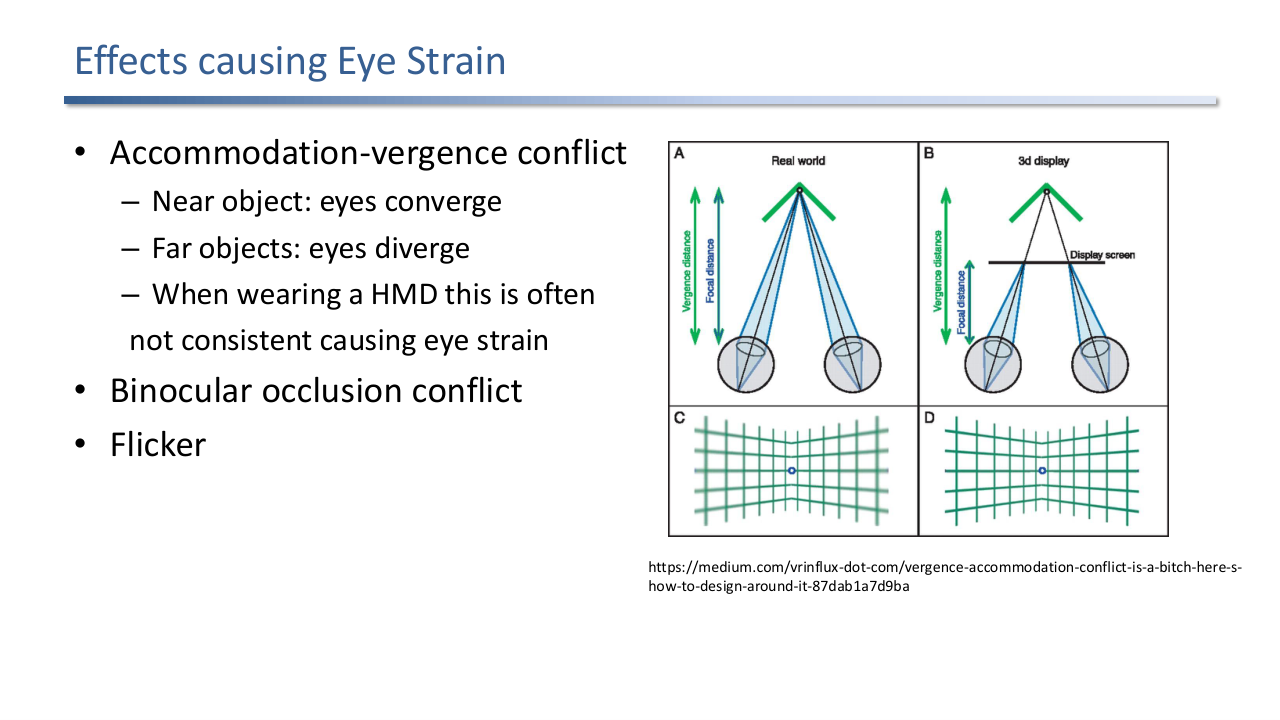
In the real world, vergence distance equals focal distance. In a 3D HMD, the eyes converge on the virtual object's depth but focus on the fixed display plane, so the two distances diverge. Sustained mismatch causes eye strain.
In the real world, when you look at a near object both eyes converge and the lens accommodates (focuses) to the same depth. In a stereoscopic HMD, the eyes converge on the perceived virtual object but accommodate to the physical display plane. The two distances diverge, and the visual system cannot resolve the mismatch except by adapting (eye strain) or breaking fusion. This is the dominant cause of post-session eye fatigue. Other eye-strain causes are binocular occlusion conflict and display flicker.
4.2 Readaptation and Aftereffects
After VR exposure, users adapt back to normal perception. Disorientation and perceptual instability can persist. Users with the worst in-session sickness tend to have the worst aftereffects. Don't VR and drive.
After taking the headset off, the brain takes time to re-adapt to the real world’s perceptual rules. Disorientation, perceptual instability, and reduced motor coordination can persist. The slogan from the lecture: do not VR and drive. The empirical pattern is that users who get sickest in VR also have the worst aftereffects.
4.3 Physical Fatigue
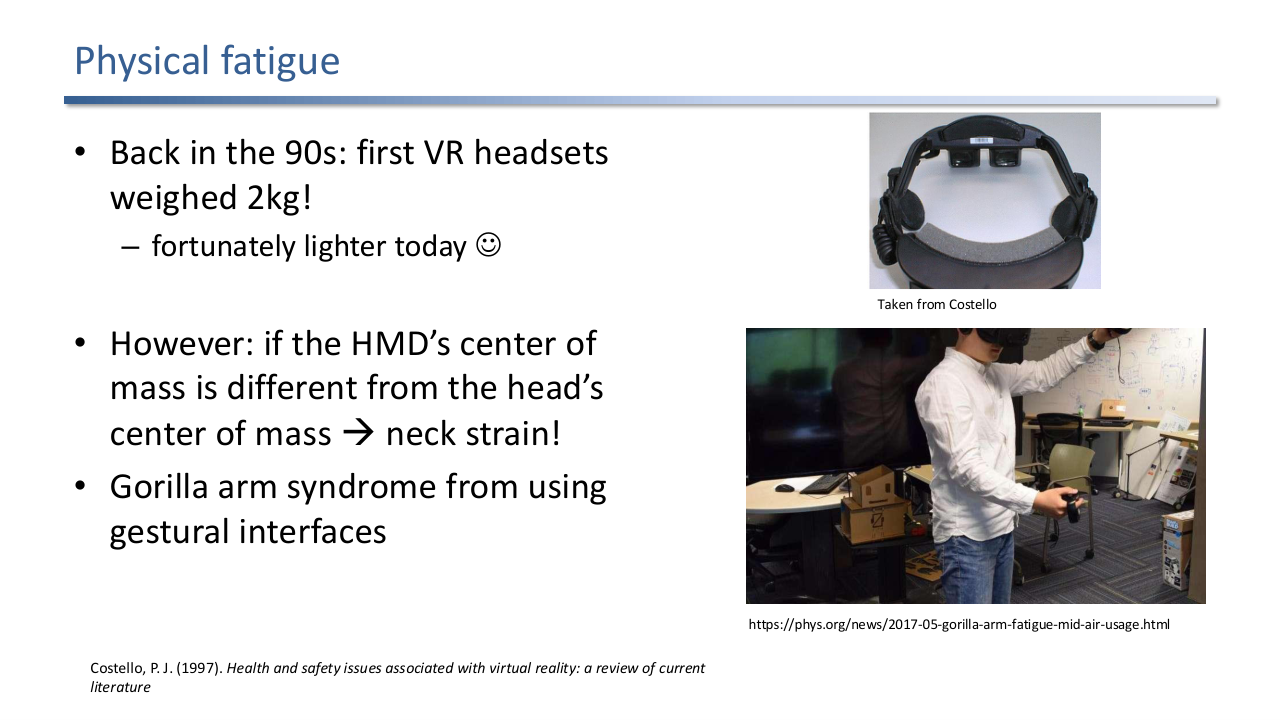
90s HMDs weighed 2 kg; modern HMDs are lighter but still off-axis from the head's centre of mass, causing neck strain. Gestural interfaces produce gorilla-arm syndrome.
Two physical-fatigue patterns:
- Neck strain: even a lightweight HMD whose centre of mass is forward of the head’s centre of mass produces a torque the neck has to fight.
- Gorilla arm: gestural interfaces require arms in midair for long periods, which exceeds normal-use postures.
4.4 Headset Fit and Hygiene
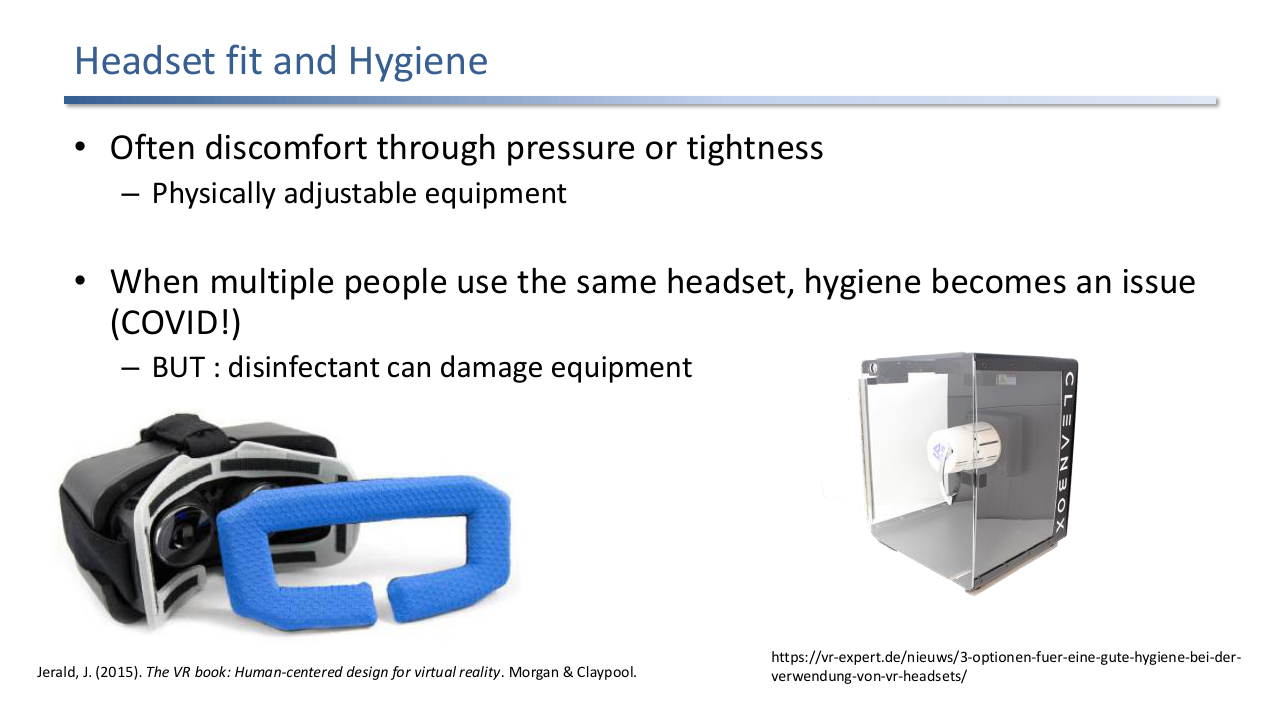
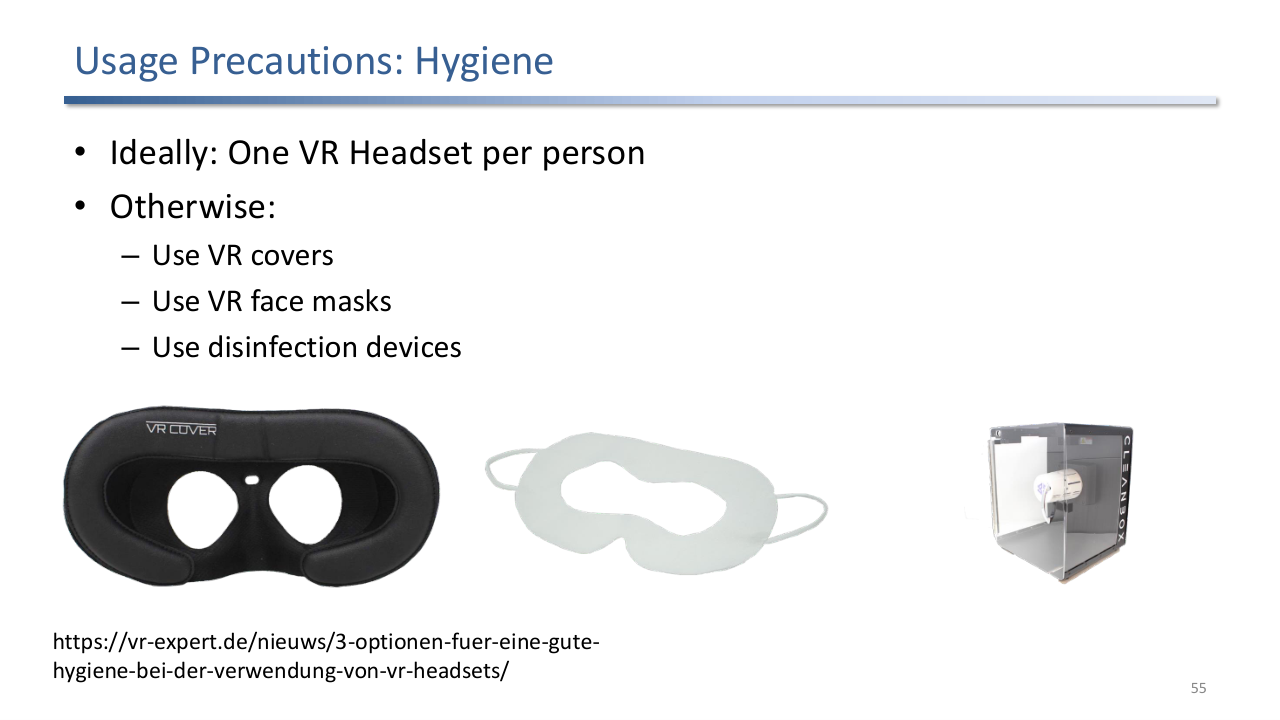
Pressure and tightness produce discomfort; physically adjustable equipment helps. Multi-user headsets raise hygiene concerns (sweat, skin contact, COVID-era infection), but disinfectants can damage the optics and foam.
The fit problem is mechanical (pressure on the bridge of the nose, on the forehead, on the back of the head); the hygiene problem is biological (sweat absorption in foam, microbial transfer in shared kits). The COVID era made hygiene a more visible concern, but standard cleaning products attack the materials, so designs converged on replaceable VR Cover-style pads and disposable face masks.
4.5 Injury
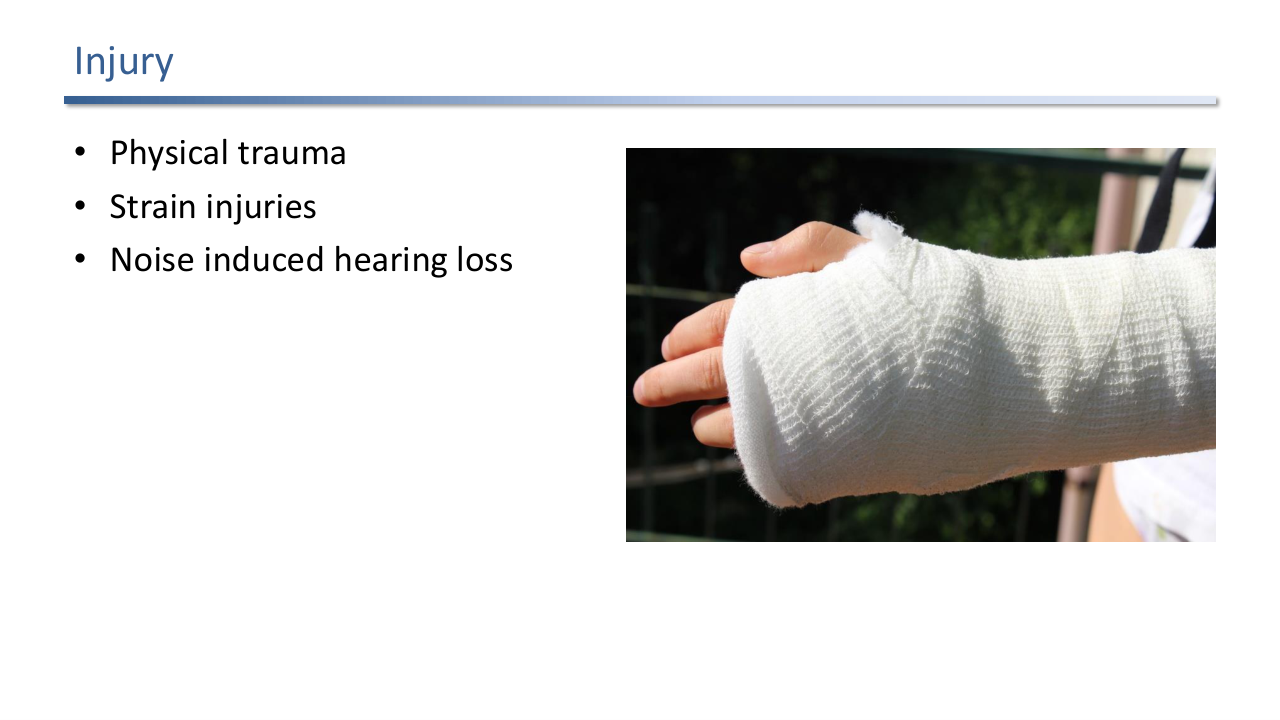
Three injury categories: physical trauma (collisions with real-world obstacles), repetitive strain injuries, and noise-induced hearing loss.
Injury covers physical trauma (the user cannot see the real world, walks into furniture or other users), repetitive strain from extended interaction, and noise-induced hearing loss from headphones at high levels.
5. Latency
Latency deserves its own section because it is both a major cause of sickness and a parameter the engineer can directly control.
5.1 Why Latency Is Bad
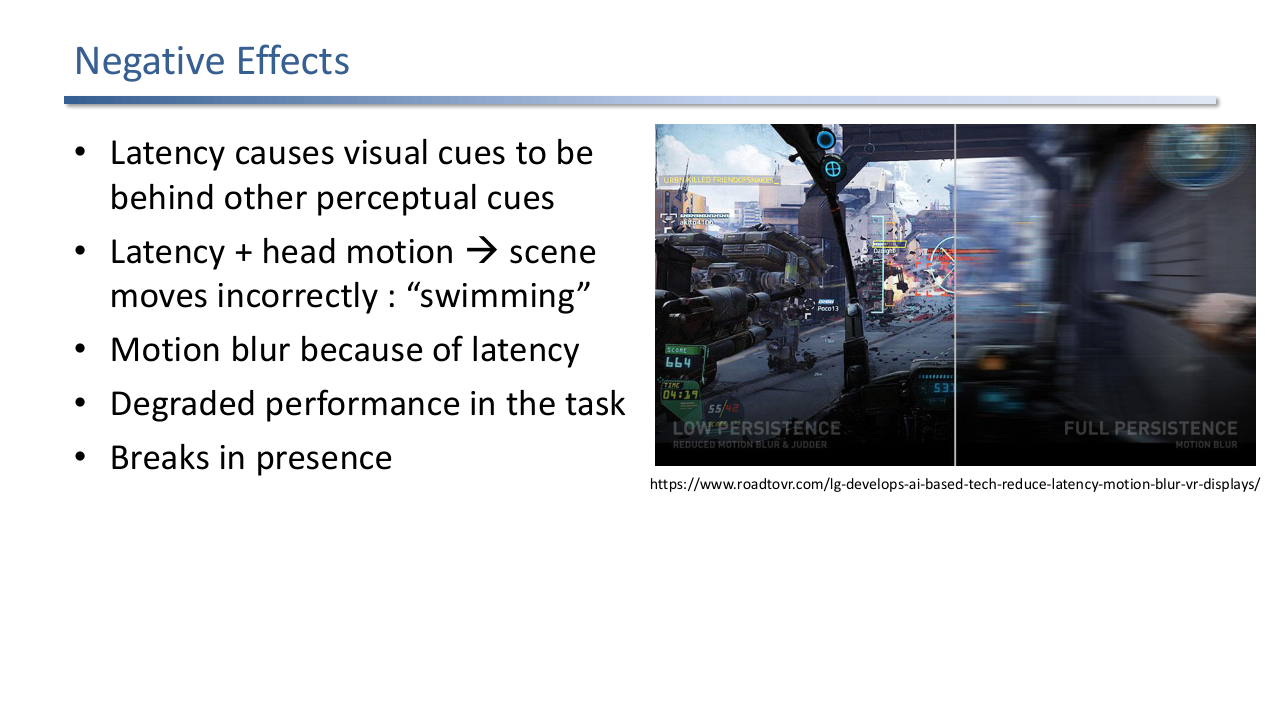
Latency causes visual cues to lag behind other perceptual cues. Combined with head motion it produces "scene swimming": the world appears to slosh as the head moves. Other effects are motion blur, task performance degradation, and breaks in presence.
Latency makes the visual update lag behind the head pose. Effects:
- Visual cues fall behind other perceptual cues (vestibular, proprioceptive).
- Scene swimming: with head motion the world appears to slosh because the rendered viewpoint trails the true viewpoint.
- Motion blur as the late image is displayed across a frame.
- Degraded task performance (slower acquisition, more errors).
- Breaks in presence.
How low is low enough is a research question. The rule of thumb: lower latency is needed when there is more head movement, and optical see-through AR needs sub-millisecond latency because real and virtual cues are seen side by side.
5.2 Sources of Latency
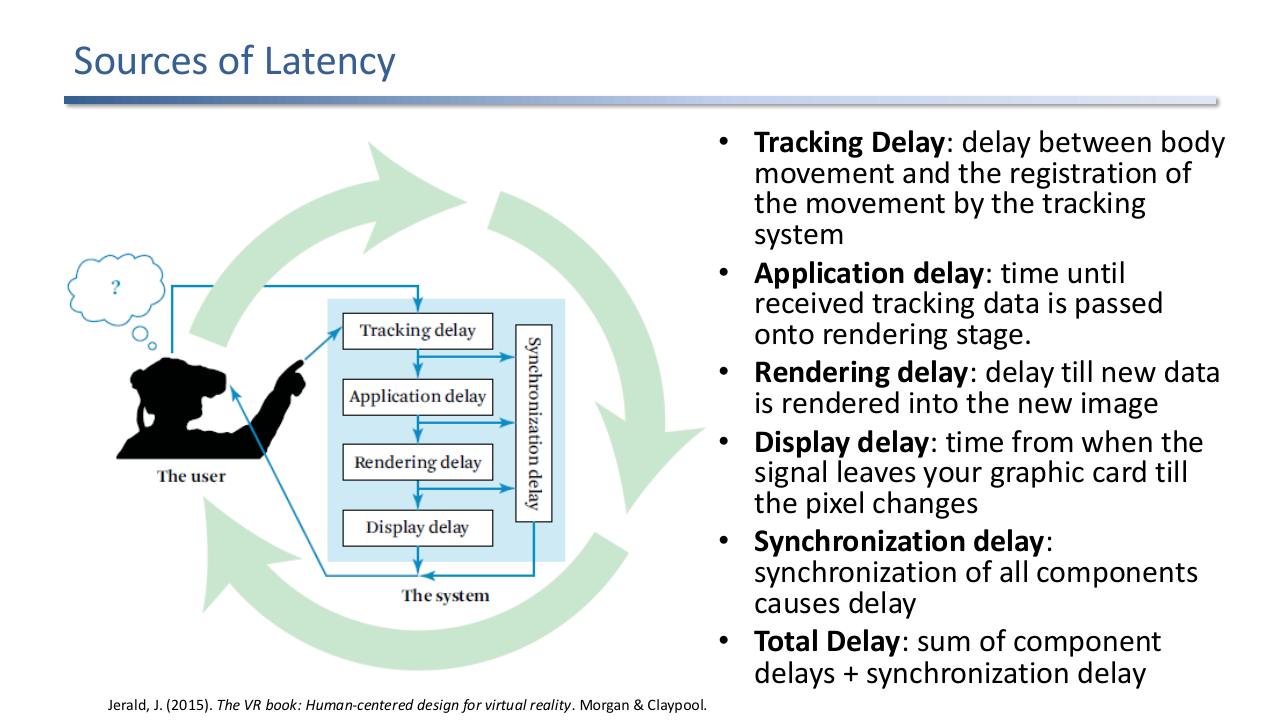
Total delay = tracking + application + rendering + display + synchronisation. Each stage adds a measurable contribution; the user feels the sum.
The pipeline:
- Tracking delay: from body movement to the tracker registering it.
- Application delay: from tracker input to the rendering stage.
- Rendering delay: from new pose to a rendered frame.
- Display delay: from GPU output to actual pixel change.
- Synchronisation delay: from coordinating components.
Total delay = sum of component delays + synchronisation delay. Measuring and budgeting each stage is the first engineering step.
6. Summary of Factors Contributing to Adverse Effects
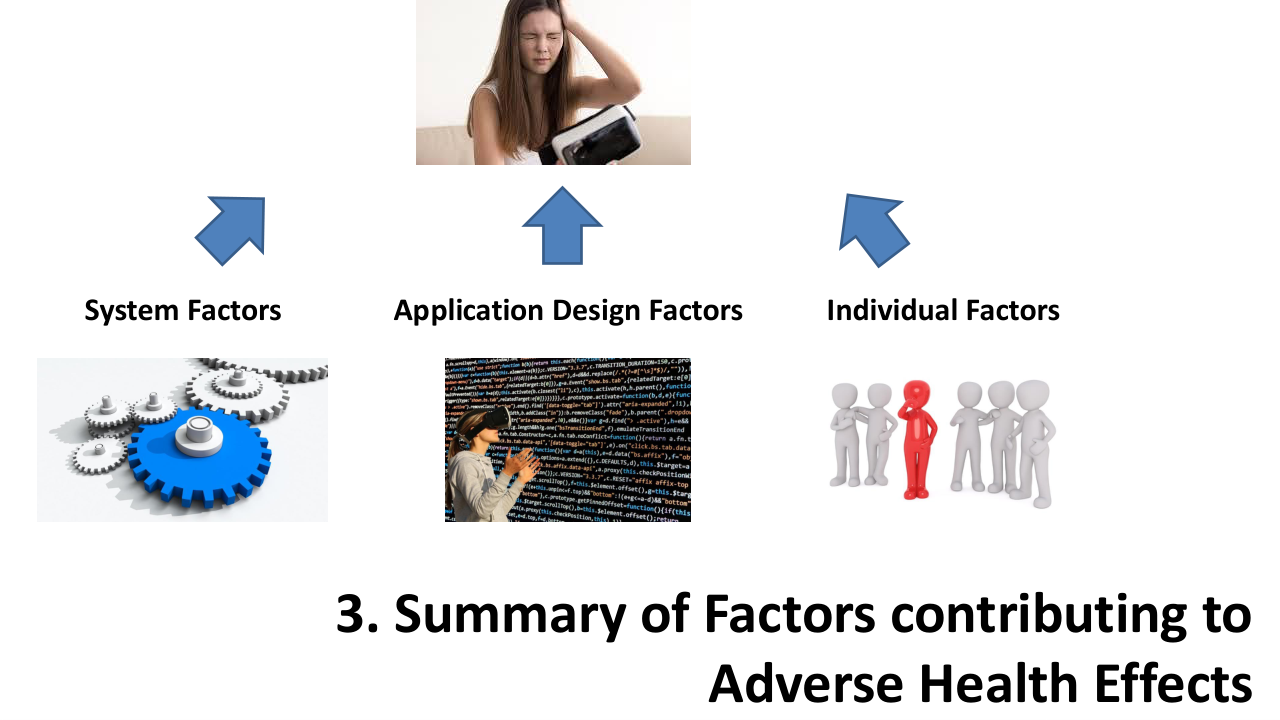
Three factor groups: system factors (hardware and platform), application design factors (the experience), and individual factors (the user).
6.1 System Factors
The hardware and platform. The lecture lists: latency, calibration, tracking accuracy and precision, field of view, display response time and persistence, headset fit, temperature, dirty screens, and many more covered in the VR Book. These are the responsibility of the platform vendor and the deployment.
6.2 Application Design Factors
The experience. Frame rate, locus of control, visual acceleration, physical head motion, duration. These are the developer’s levers and the main subject of the guidelines section.
6.3 Individual Factors
The user. How easily different people get sick depends on sensitivity to provocative motion, the rate of adaptation, and the recovery rate from symptoms. Underneath those: prior history of motion sickness, general health, VR experience, whether the user is thinking about sickness (suggestible), gender, age, mental model and expectations. The designer cannot change these but can design around them (incremental exposure, short sessions for new users).
7. Reducing Adverse Effects
7.1 Measuring Discomfort
The Kennedy Simulator Sickness Questionnaire is the standard self-report instrument. Postural stability tests use Sharpened Romberg stances (feet together, semi-tandem, tandem) with eyes open then closed. Physiological measures: heart rate, blink rate, EEG, skin colour, sweating.
The standard toolkit:
- SSQ (Kennedy Simulator Sickness Questionnaire): self-report after the session, scoring nausea, oculomotor, and disorientation subscales.
- Postural stability tests: the Sharpened Romberg stance with eyes open and closed measures balance impairment, a sensitive indicator.
- Physiological measures: heart rate, blink rate, EEG, skin colour change, sweating.
- Recent research (Hirzle et al. CHI 2021) is critically reviewing SSQ and pushing combined models that integrate ergonomic factors and eye strain alongside sickness.
7.2 Adaptation
Optimise adaptation: incremental exposure, progressive intensity, relaxing environments, constant latency. Inconsistent latency is worse than high but stable latency.
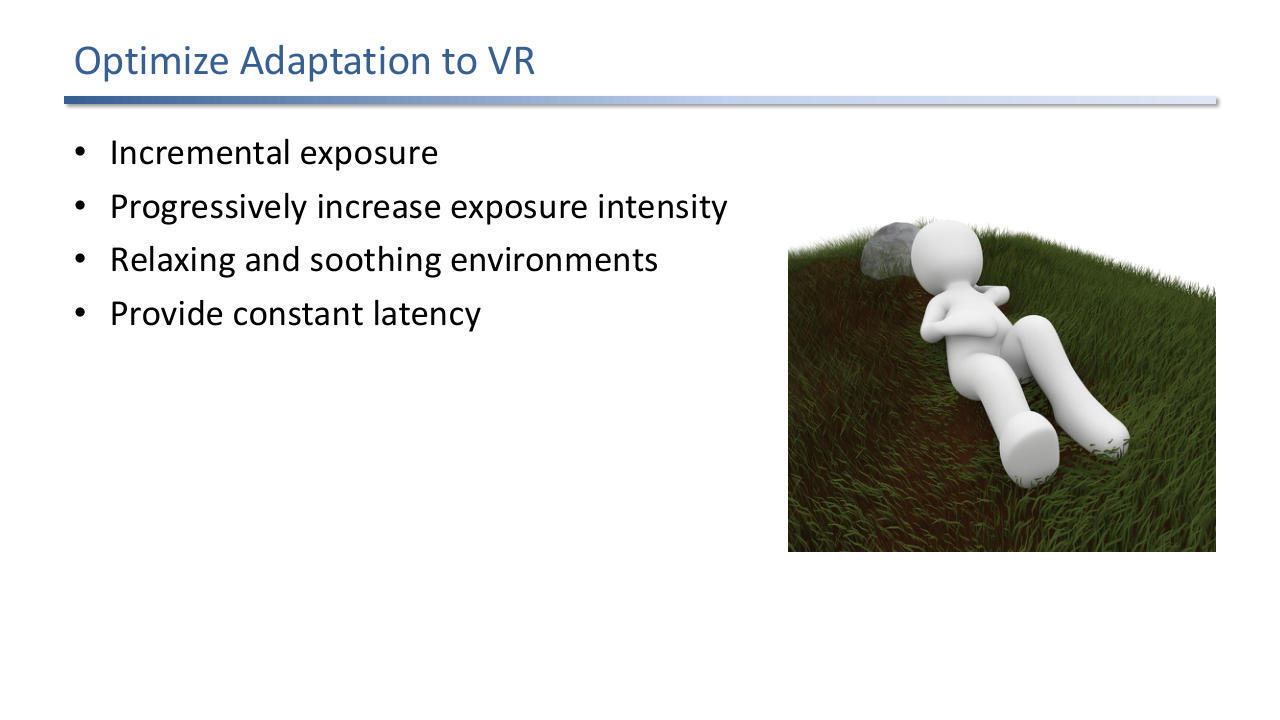
Adaptation can be designed for. Use incremental exposure: short sessions that gradually grow. Progressively increase intensity. Start with relaxing environments. Provide constant latency, because variable latency prevents the brain from forming a stable prediction.
7.3 Real-World Stabilised Cues
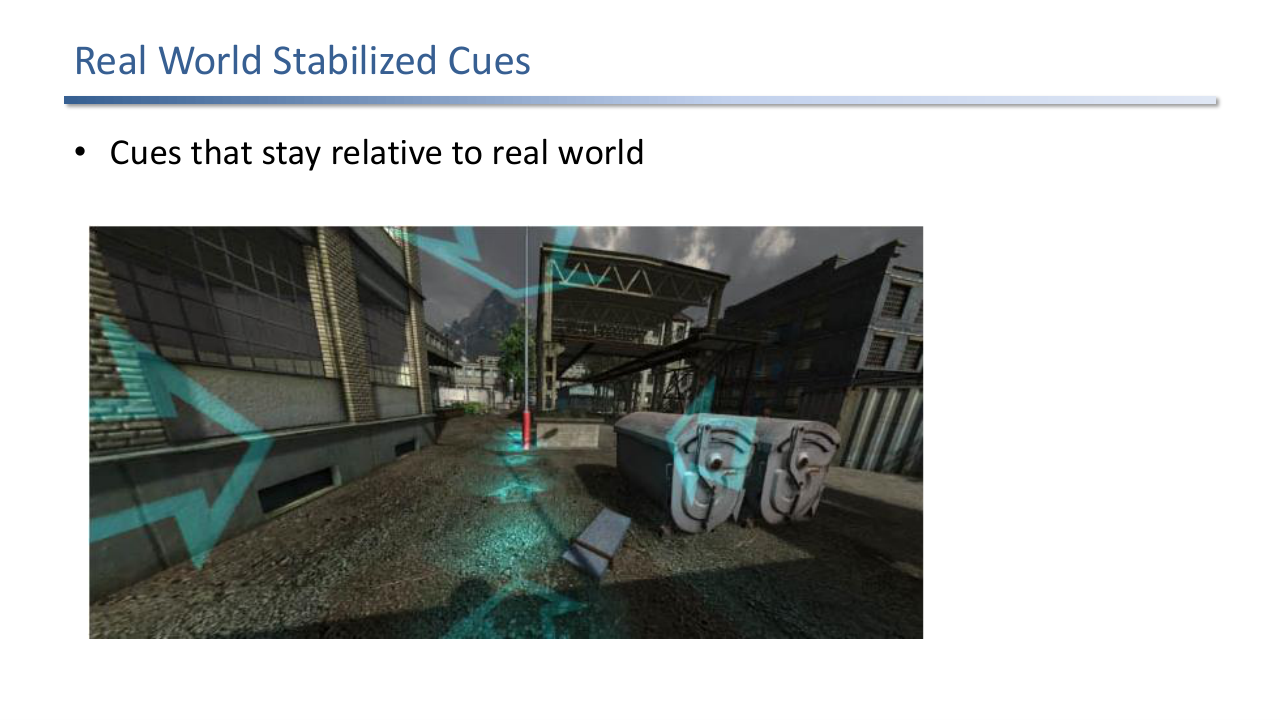
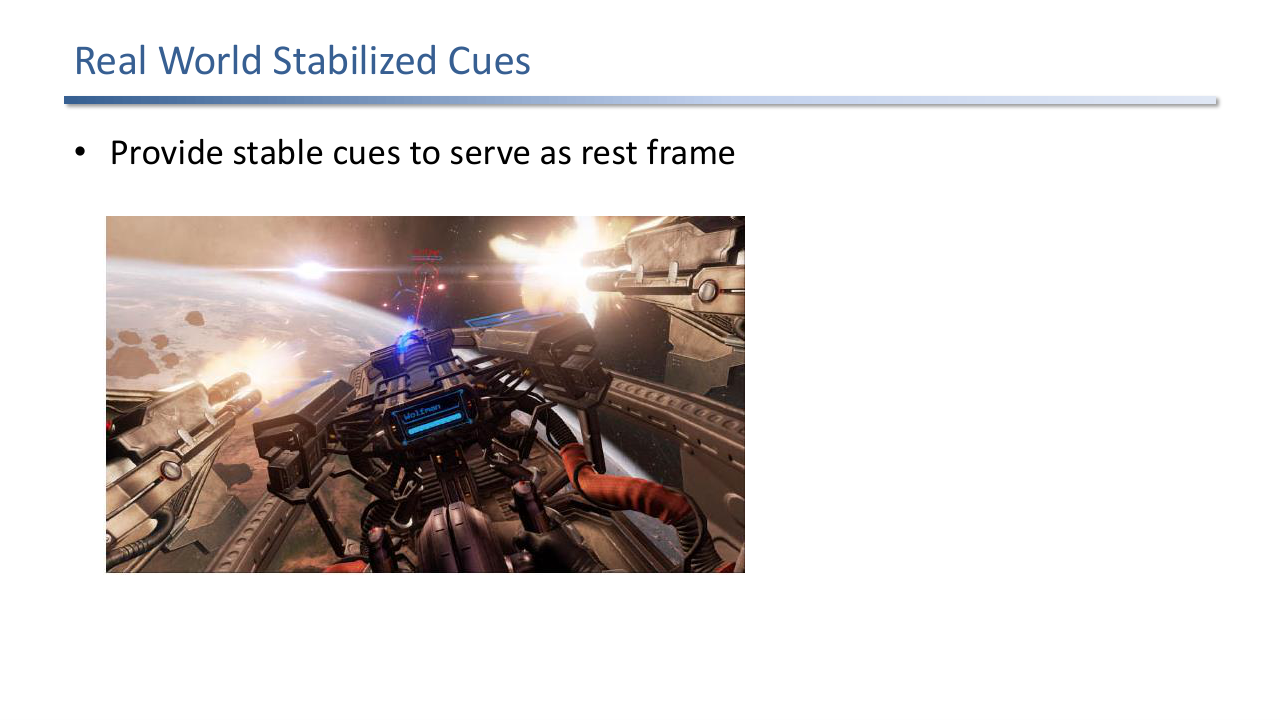
A cockpit in a VR space game provides a stable visual frame. The cockpit moves with the user, so it serves as a rest frame in which the rendered world's motion is interpreted.
Provide stable cues that the brain can use as a rest frame. A cockpit, a vehicle interior, or a static overlay grid all work. Modern locomotion designs often add a fading “vignette” that narrows the FoV during travel for the same reason: less peripheral flow, less vection.
7.4 World as Object
Self-motion versus world-motion: pushing the world as an object from a stationary vantage point stimulates the vestibular system less than self-motion through the world.
A subtle viewpoint design choice: in self-motion the user moves through a stationary world. In world-motion the world is treated as a manipulable object that the user pushes and pulls from a stationary vantage point. World-motion stimulates the vestibular conflict less and is a robust trick for navigation, especially in data exploration.
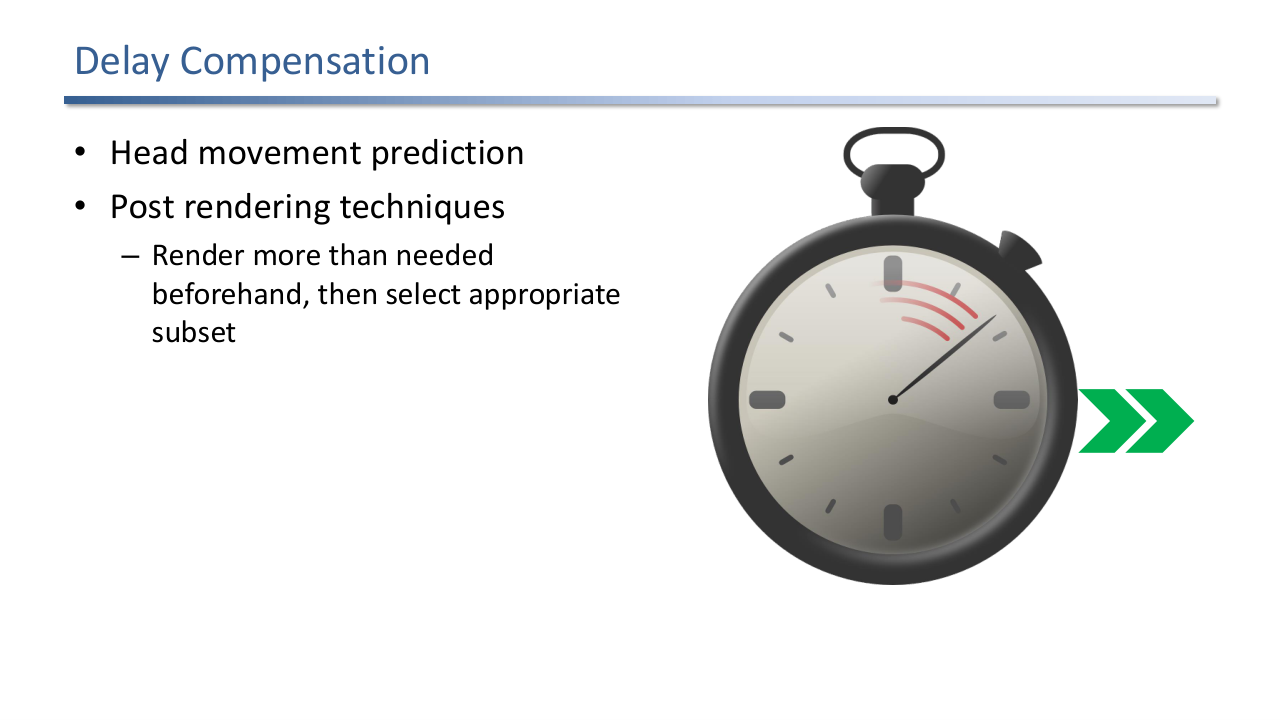
7.5 Delay Compensation
Delay compensation: predict head movement and render ahead, or render more than needed beforehand (oversize the frame, then select the right subregion at display time, like asynchronous timewarp).
Two complementary compensation strategies:
- Head movement prediction: extrapolate the head pose forward by the expected latency and render to that predicted pose. Works well for smooth motion, breaks down for fast direction changes.
- Post-rendering techniques: render more than is strictly visible, then choose the correct subset at display time based on the latest pose. The modern instance is asynchronous timewarp / spacewarp in Oculus and similar runtimes.
7.6 Design Guidelines Roundup
The remaining slides collect the guidelines into thematic clusters.
Hardware: choose HMDs with no perceptible flicker, lightweight builds, precise and fast tracking, wireless when possible.
Calibration and latency reduction: confirm calibration regularly, match virtual to actual FoV, support multi-user calibration, minimise and measure delays, then compensate the residual.
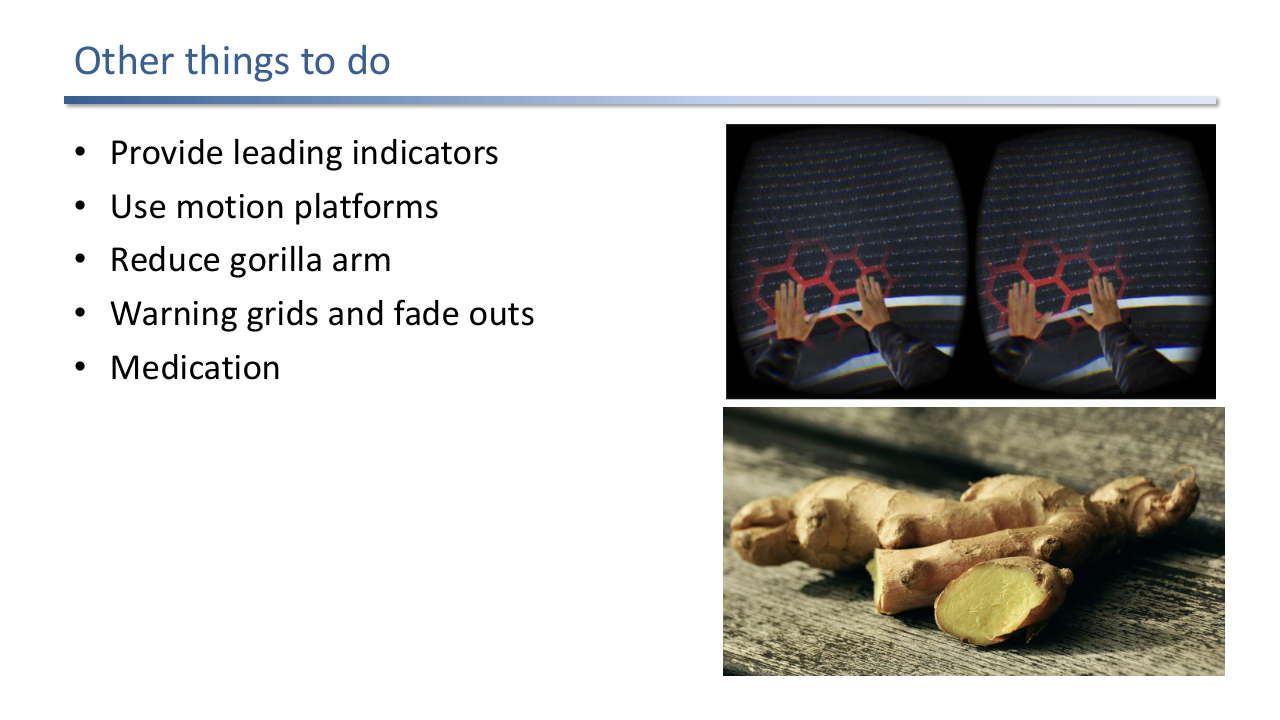
General design: minimise stimuli close to the eyes, consider darker scenes to reduce flicker, design sitting experiences to reduce injury risk, design for short experiences, show a warning grid when the user nears a real obstacle, fade out if latency increases too much.
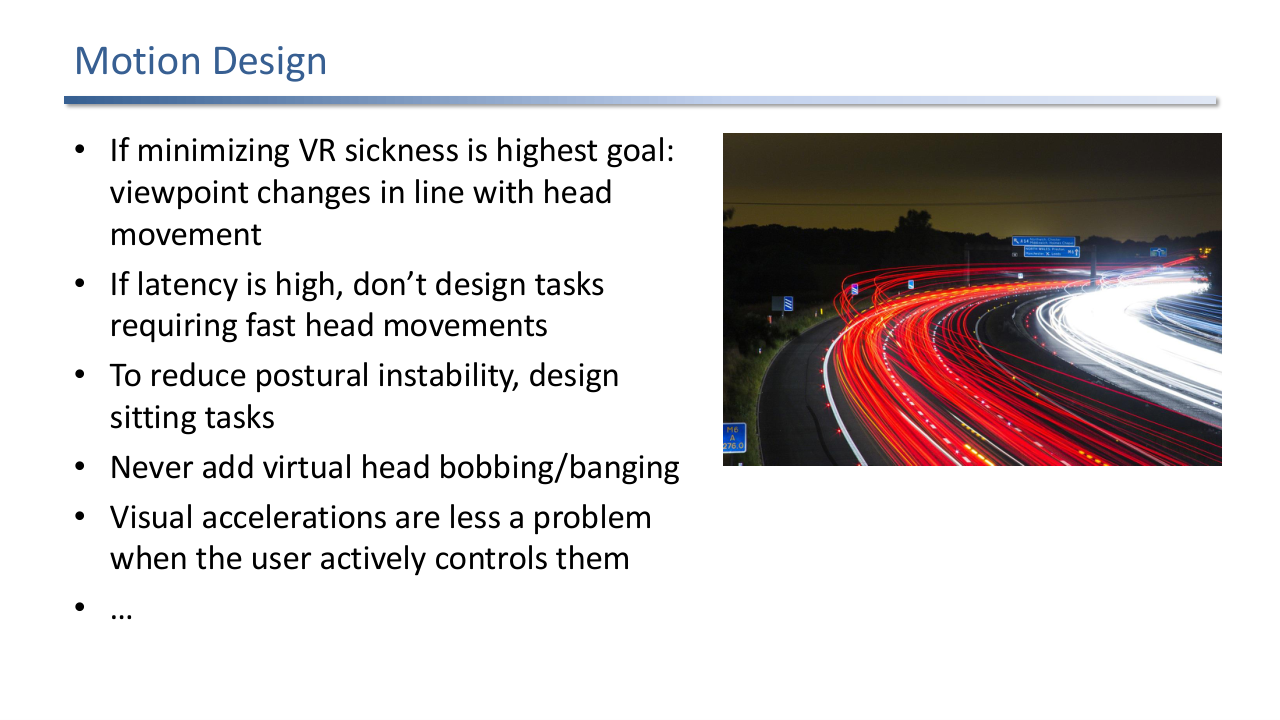
Motion design: if minimising sickness is the top goal, keep viewpoint changes in line with head movement. If latency is high, do not require fast head movements. Sitting tasks reduce postural instability. Never add virtual head bobbing. User-controlled visual acceleration is less provocative than passive.
Motion design: if reducing sickness is the highest priority, viewpoint changes should track head movement. Do not require fast head motions when latency is high. Prefer sitting tasks to reduce postural instability. Never add virtual head bobbing or banging effects. Visual acceleration is less provocative when the user actively controls it.
Interaction design: comfortable hand movements; vary motions to reduce repetitive strain.
Usage precautions: keep users in physically safe areas, have a human spotter for walking users.
Adaptation and readaptation guidelines: use VR in 2-5 day intervals to maximise adaptation, sit down and close eyes to recover, do not drive immediately after VR.
Adaptation and readaptation: spread sessions across 2-5 day intervals to maximise adaptation. To recover from session end, sit down and close eyes. Do not drive immediately afterwards.
Sickness: do not use VR equipment when already sick. It is acceptable to stop at the first sign of discomfort rather than “tough it out”. Pay attention to early warning signs.
Hygiene: ideally one headset per user; otherwise use VR covers, disposable face masks, and dedicated disinfection devices.
Measurement: use SSQ as the easy default for end-of-session self-report; complement with physiological measurements for objective signal.
💡 Intuition
VR sickness is not a quirk of immersive displays, it is the visual system’s normal protective response stretched outside the conditions it evolved for. The brain expects head motion to produce one kind of optic flow; the HMD produces another. Most of the design guidelines reduce to “do not break the brain’s prediction loop”: low latency, accurate tracking, head-coupled viewpoint, stable rest frames, slow exposure. The rest of the guidelines hedge against the cases where you cannot avoid breaking the loop (vignetting, fade-outs, world-as-object, cockpits as rest frames).
🧠 Deep Dive
Three threads tie the lecture together.
First, terminology is overlapping by design. Motion sickness, simulator sickness, and cybersickness all share symptoms (nausea, oculomotor, disorientation), and the Kennedy SSQ scores all three on the same instrument. Treating them as one umbrella is fine for design; treating them as one mechanism is wrong. Motion sickness has a vestibular driver, simulator sickness an oculomotor driver, cybersickness a disorientation driver in many studies.
Second, the theories are not competitors but layers. Sensory conflict explains the proximate trigger. Evolutionary theory explains why the response is so unpleasant (the body thinks you are poisoned). Postural instability explains the time course (instability has to last long enough to register). The rest frame hypothesis refines the conflict story (only conflicts that bear on the implied stationary frame matter). The unified model assembles them into the control loop that the brain actually runs. The exam-relevant move is to use the right theory for the right design question: rest frame justifies cockpit overlays, postural instability justifies seated experiences, sensory conflict justifies latency budgets.
Third, the design payoff is small and finite. Latency below 20 ms with prediction; matching FoV; head-coupled viewpoint; sitting tasks where possible; a stable rest frame when locomotion is unavoidable; incremental exposure; SSQ at end of session. These few rules, applied consistently, eliminate most adverse effects in well-engineered VR. The hard cases are racing simulators (visual acceleration is the point), unstructured exploration (no obvious rest frame), and multi-user platforms (hygiene plus mixed sensitivities). For those, the designer chooses which guideline to break and which compensation to add.
Exam Focus
- Adverse health effect (Jerald 2016): anything a VR system does to the user that degrades their health; the three buckets are VR sickness, eye strain, and other challenges.
- VR sickness umbrella: motion sickness (real or apparent motion), simulator sickness (simulation shortcomings), cybersickness (visually induced from immersion); know scene motion and vection.
- Five theories of motion sickness: sensory conflict, evolutionary, postural instability, rest frame, and the unified model (a control loop where sickness follows a prediction failure).
- Eye strain and accommodation-vergence conflict as the dominant optical fatigue cause.
- Three factor groups: system (latency, calibration, tracking, FoV, persistence, fit), application design (frame rate, locus of control, acceleration, head motion, duration), and individual (sensitivity, adaptation, history, age, gender).
- Latency sources and how each is reduced or compensated (prediction, post-render warping).
- Measurement: SSQ as the standard discomfort questionnaire, plus postural-stability and physiological measures.
- Design guidelines: lightweight low-persistence HMDs, careful calibration, minimised latency, seated tasks, slow head motion, rest frames, world-as-object viewpoint control, short sessions.
Self-Check
- The lecture distinguishes motion sickness, simulator sickness, and cybersickness. What are the practical differences and why are they all reported under the umbrella “VR sickness”?
Answer
Motion sickness is the historical category caused by real or apparent motion, with vomiting as a common endpoint (travel sickness). Simulator sickness comes from shortcomings of a simulation and tends to produce less vomiting but more oculomotor symptoms (eye strain, headache, fatigue). Cybersickness is visually induced motion sickness specifically from VR immersion, with disorientation often dominant. They share symptoms and overlapping causes (sensory mismatch, postural instability, rest-frame confusion), so VR sickness is the umbrella term and standard instruments like the Kennedy SSQ score them with the same questionnaire. Treating them as one mechanism is wrong; treating them as one design problem is reasonable.
- State the sensory-conflict theory and the rest-frame hypothesis and explain how the rest-frame hypothesis refines sensory conflict.
Answer
Sensory-conflict says motion sickness arises when sensory channels (eyes vs vestibular) report inconsistent motion. The rest-frame hypothesis refines this: the brain does not compare raw cues, it uses each cue to infer a stationary frame of reference (a rest frame) and compares those. Sickness follows when two cues imply different rest frames. The useful consequence is that not every conflict matters: if a conflicting cue does not bear on the rest frame the brain has selected (a small peripheral movement, a head-locked overlay), it does not produce sickness. This justifies design tricks like adding a visible cockpit that anchors the rest frame so all other motion is interpreted as scene motion rather than as conflicting self-motion.
- Walk through the unified model of motion sickness (Jerald, Prothero, Parker) and show how it incorporates the other theories.
Answer
The unified model is a control loop. Sensory inputs (auditory, visual, vestibular, proprioceptive, tactile) feed central processing, which combines them with the mental model (expectations, memories, currently selected rest frame) to produce a state estimate of self and world motion. The state estimate drives actions (posture, eye rotation, physiological responses) and an efference copy that predicts how those actions should change the sensory input. Sensory-conflict theory lives at the input integration step (mismatch between channels). Evolutionary theory lives in the action set, where vomiting and lethargy are inherited poison responses. Postural instability lives in the failure of the action loop to keep posture stable. Rest-frame lives in the mental model’s choice of stationary frame. Sickness happens when the prediction loop fails, regardless of which sub-mechanism is responsible.
- What causes accommodation-vergence conflict in HMDs and what makes it especially fatiguing?
Answer
In the real world, vergence (the inward angle of the two eyes pointing at the same object) and accommodation (lens focusing) operate at the same depth and are neurally coupled. A stereoscopic HMD presents two images on a fixed display plane, so the eyes converge on the depth implied by the disparity but accommodate to the physical display plane. The two distances diverge, breaking the natural coupling. The visual system cannot resolve this except by adapting (decoupling the reflex, which is fatiguing) or by giving up fusion (double vision). The fatigue accumulates over a session because the visual system is doing extra work on every saccade. Varifocal and light-field displays address this by moving the focal plane to match vergence.
- Why is constant vection generally tolerable but visual acceleration and artificial head rotation provocative?
Answer
Constant vection (smooth gliding at a fixed speed) produces a steady optic flow that the brain can interpret as either self-motion at constant velocity or world-motion at constant velocity; either reading is consistent across cues, and the vestibular system is not strongly stimulated by constant velocity in any case. Acceleration introduces a derivative the vestibular system does not feel, breaking the consistency. Artificial head rotation introduces a rotation in the visual frame that the vestibular semicircular canals do not register, producing a strong conflict. The rule for VR locomotion design is to allow constant-velocity drift and let the user control their own heading by physical head rotation, and to avoid scripted accelerations and yaw changes.
- List the major sources of end-to-end latency in a VR system and explain how each is reduced or compensated.
Answer
Tracking delay (time from movement to the tracker registering it) is reduced with faster sensors and predictive filters. Application delay (time to push tracker data into the renderer) is reduced by minimising buffering and using lower-level APIs. Rendering delay (time to draw a frame) is reduced by simpler scenes and async rendering. Display delay (time from GPU output to pixel change) depends on display persistence; low-persistence (strobed) displays reduce perceived motion blur even when latency is fixed. Synchronisation delay (coordinating the components) is reduced by tight pipeline integration. Total delay is the sum plus synchronisation overhead. The residual is compensated with head-pose prediction (extrapolate the future pose) and post-render techniques like asynchronous timewarp (re-project the rendered image at scan-out time using the latest pose).
- The lecture groups adverse-effect factors into system, application, and individual. Give two examples of each and explain who is responsible for managing them.
Answer
System factors: latency and tracking precision. Managed by the platform vendor (HMD, runtime) and the deployment (network, room calibration). The developer typically can only choose which platform to ship on. Application design factors: locus of control (does the user or the script drive the viewpoint?) and visual acceleration (scripted acceleration is provocative; user-controlled less so). Managed by the developer. These are the lever the lecture focuses on. Individual factors: prior history of motion sickness and current VR experience. Cannot be changed by either party, but can be designed around: incremental exposure for new users, conservative motion design for sensitive users, SSQ screening to identify high-sensitivity participants.
- Why does sitting reduce VR sickness, and why are world-as-object viewpoint controls less provocative than self-motion?
Answer
Sitting reduces postural instability: the body is supported and the action loop does not need to stabilise the trunk, so a key source of sickness (the postural instability theory) is removed. The vestibular system also experiences less true motion because the user cannot sway. World-as-object viewpoint control treats the world as a manipulable object that is pushed and pulled past a stationary user, rather than treating the user as moving through a stationary world. The visual flow is the same, but the rest frame the brain selects is the user’s own body (which is genuinely still), so vestibular and visual cues agree. Self-motion forces the rest frame onto the world and demands that the body interpret the visual flow as self-translation, which is exactly the conflict that produces sickness.
- The lecture recommends the SSQ as the standard discomfort measurement. What does it measure, when is it administered, and what are its limitations?
Answer
The Kennedy Simulator Sickness Questionnaire is a self-report instrument with three subscales: nausea, oculomotor, and disorientation. It is administered after the VR session and scored to produce a total severity plus the three subscale scores. Limitations: it relies on the user remembering and labelling their symptoms, it cannot be repeated during the session without interrupting immersion, and recent critical work (Hirzle et al. CHI 2021) shows it is loaded against eye strain and ergonomic discomfort that are not really “sickness”. Production studies pair SSQ with postural stability tests (Sharpened Romberg) and physiological measurements (heart rate, blink rate, EEG, skin response) to get continuous objective data alongside the questionnaire.
- Sketch a checklist of design guidelines an engineer should apply when building a new VR application from scratch.
Answer
Hardware: pick a lightweight HMD with no perceptible flicker, precise tracking, and stable supported runtime. Calibration and latency: verify calibration regularly, match virtual and physical FoV, measure end-to-end latency and add head-pose prediction plus asynchronous timewarp to compensate. General design: minimise close-eye stimuli, prefer dim scenes to reduce flicker, design for short sessions, show a warning grid near real obstacles, fade out if latency spikes. Motion design: head-coupled viewpoint, avoid fast head movements when latency is high, prefer sitting tasks, never add virtual head bobbing, prefer user-controlled visual acceleration, use a cockpit or vignette as a rest frame during locomotion. Interaction design: comfortable hand poses, vary motion to avoid strain. Usage precautions: physical safety zones, human spotter for walking users, conservative sickness budgets for new users, encourage breaks. Adaptation: 2-5 day session intervals. Hygiene: one headset per user where possible, otherwise covers, disposable masks, disinfection. Measurement: SSQ end-of-session, physiological signals during.
Previous: (y-09) Perception and Psychology | AR Index | Next: (y-11) Immersive Analytics