Previous: (y-02) Human-Centered Design | AR Index | Next: (y-03.2) AR Displays and Input Hardware
Mental Model First
Stereo VR works by giving each eye a slightly different image, but comfort depends on the whole optical chain: human depth cues, camera geometry, projection, lenses, display timing, field of view, and latency. A stereo image can be mathematically plausible and still feel bad if it violates how the visual system expects depth cues to agree.
Human 3D perception combines monocular 2D cues and binocular 3D cues.
1. Depth Cues
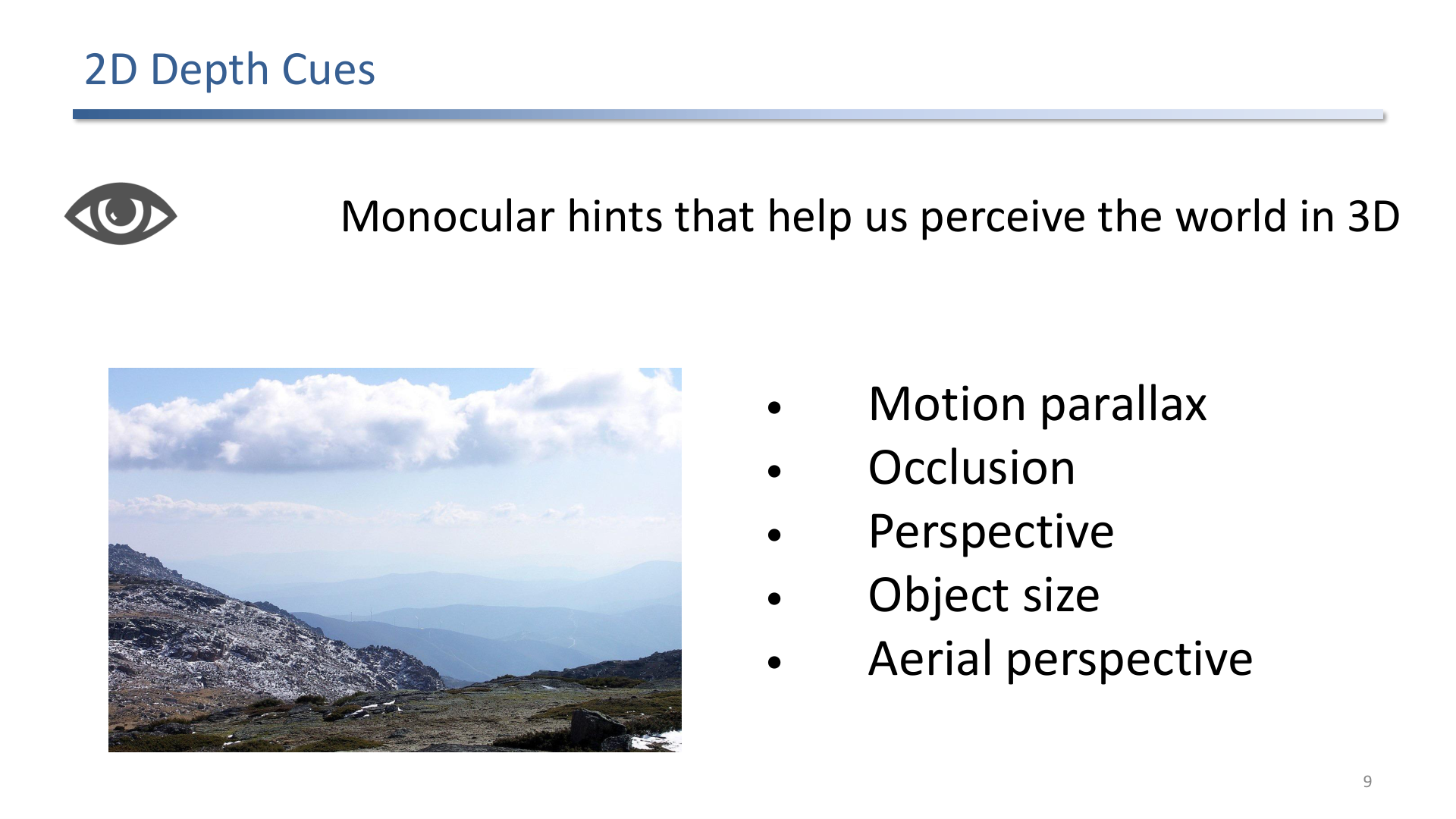
Monocular cues such as motion parallax, occlusion, perspective, and aerial perspective support depth perception with one eye.
Monocular cues are available even without stereo:
- Motion parallax: close objects move more across the retina than far objects during head motion.
- Occlusion: nearer objects hide farther objects.
- Perspective: parallel lines converge with distance.
- Aerial perspective: distant objects become lower contrast and color-shifted.
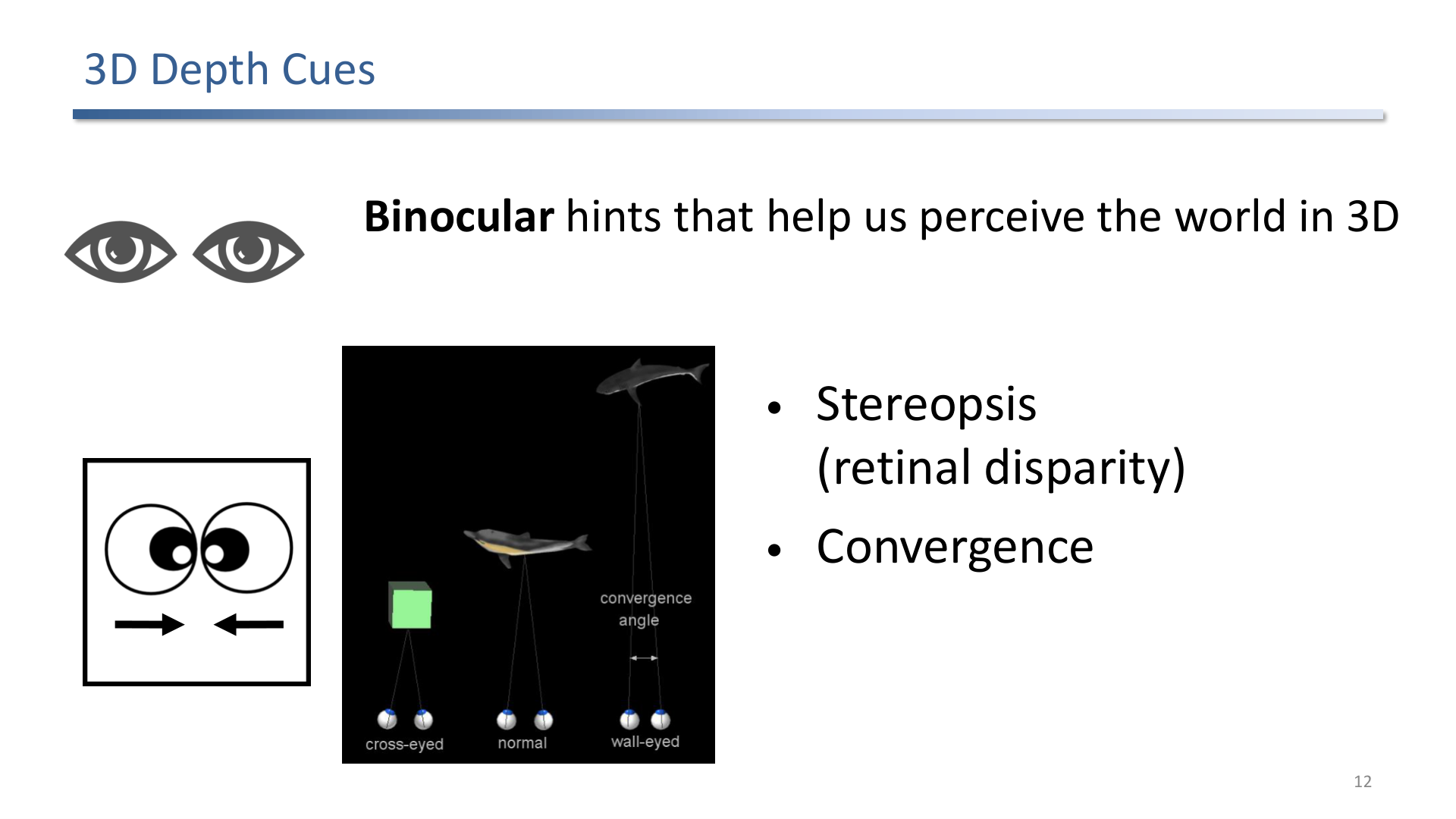
Binocular depth cues include stereopsis from retinal disparity and convergence from eye rotation.
Binocular cues require both eyes:
- Stereopsis comes from the two retinal images differing because the eyes are separated by the interpupillary distance.
- Convergence is the inward rotation of both eyes for close objects.
2. Stereo Rendering
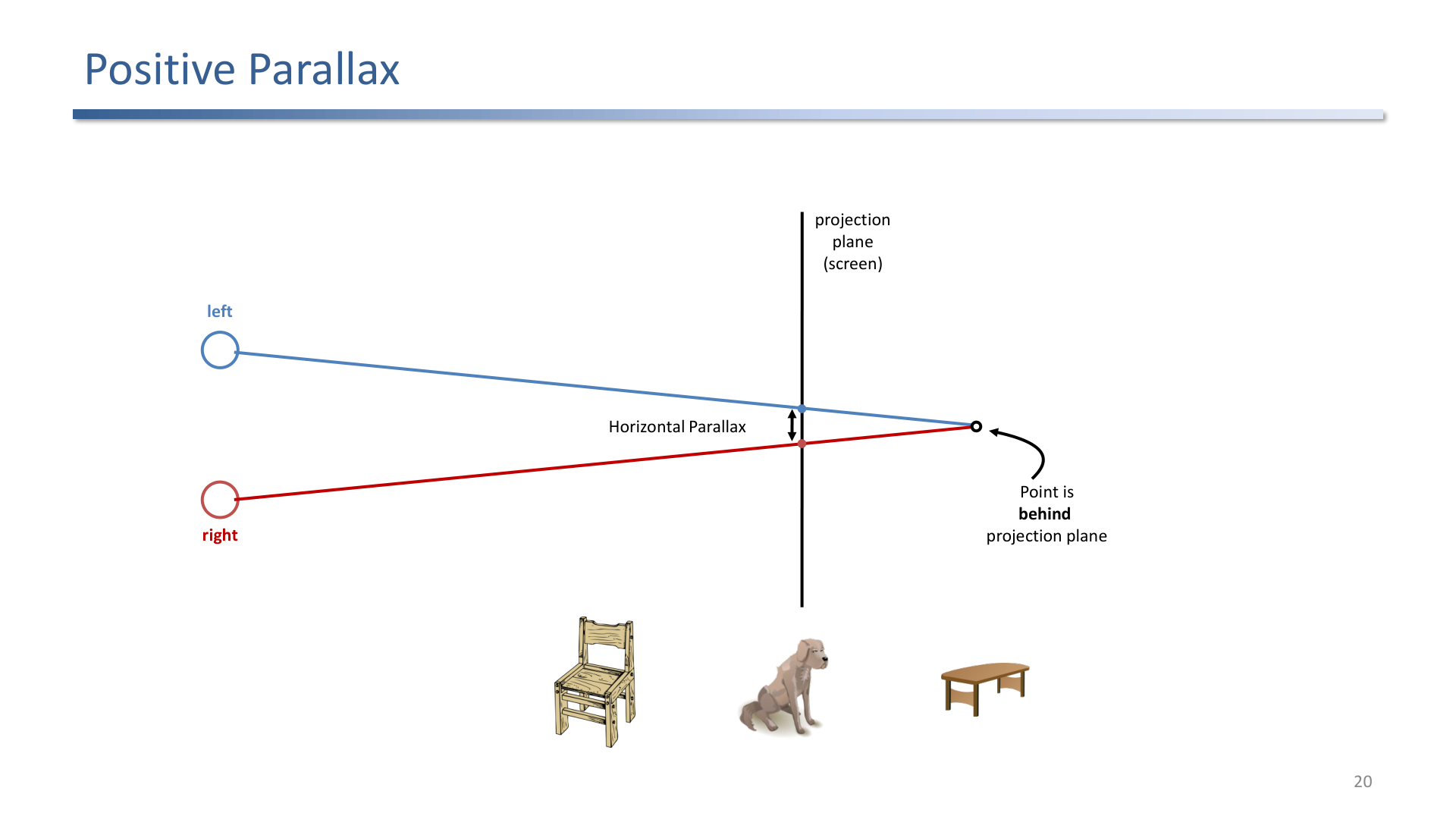
Positive parallax places the point behind the projection plane.
Stereo rendering creates separate left-eye and right-eye images. The main parallax cases are:
- Zero parallax: object lies on the projection plane.
- Positive parallax: object appears behind the projection plane.
- Negative parallax: object appears in front of the projection plane.
- Divergent parallax: eyes would need to diverge outward; this is uncomfortable and should be avoided.
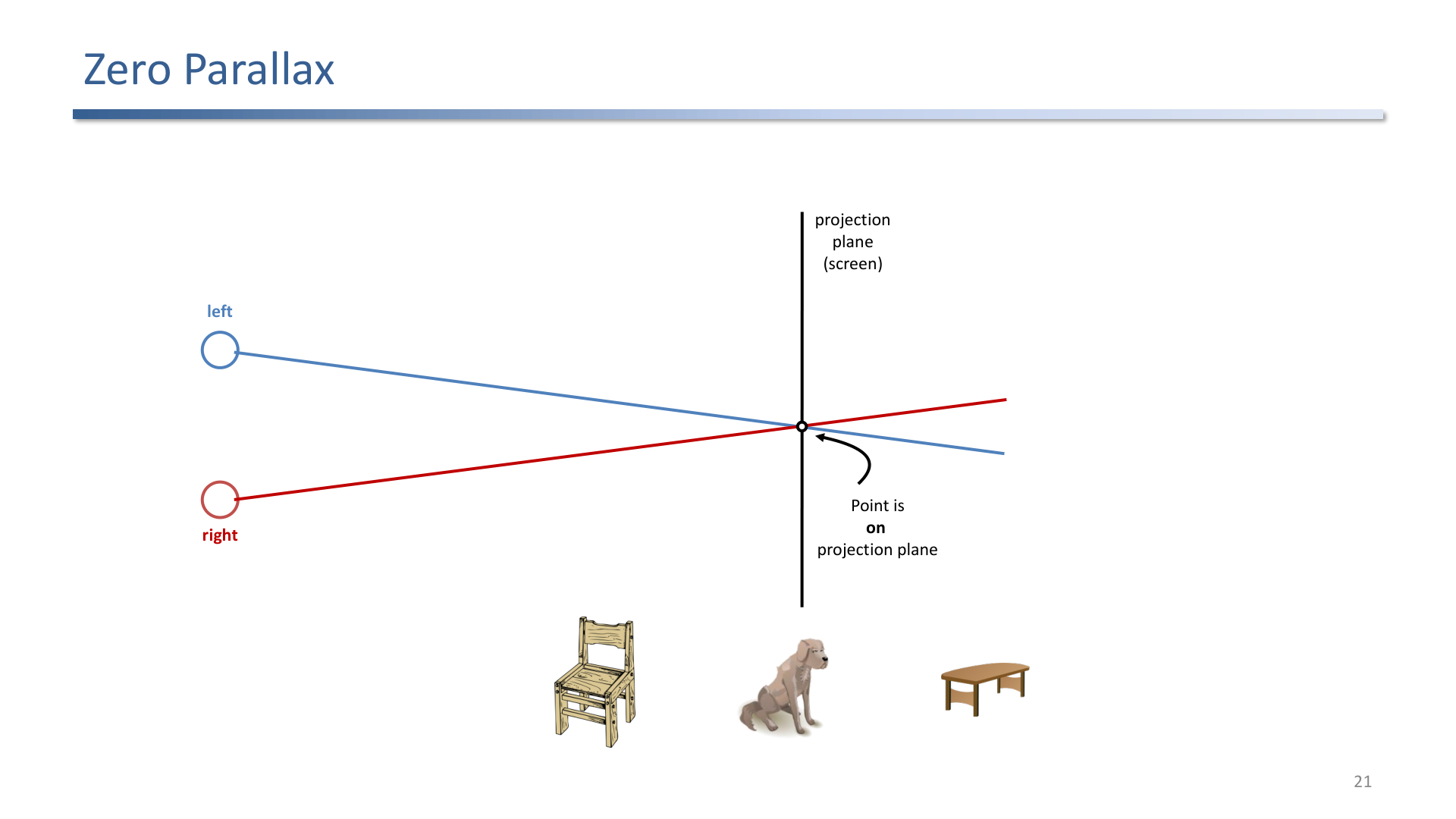
Zero parallax places the point on the projection plane.
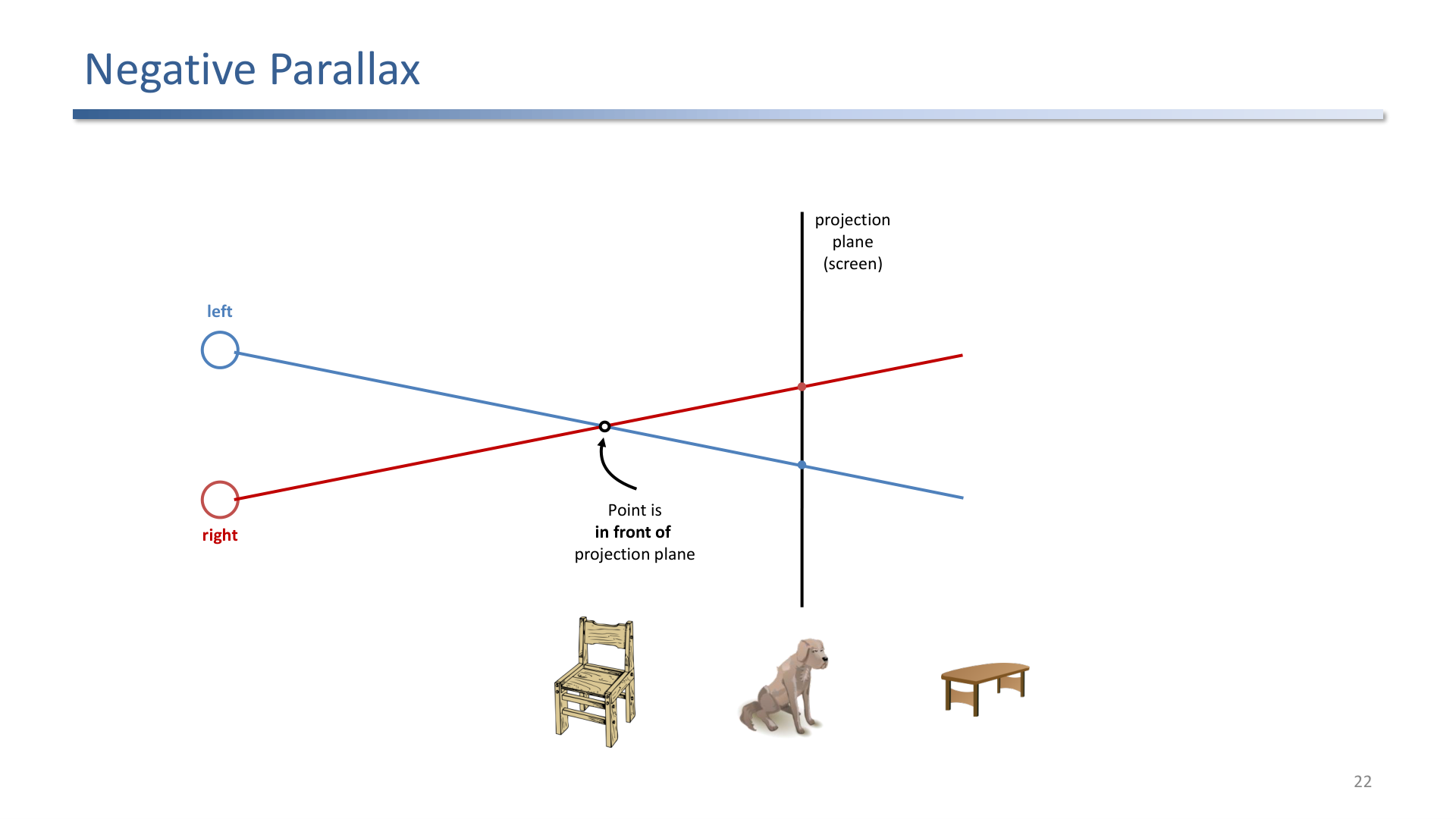
Negative parallax places the point in front of the projection plane.
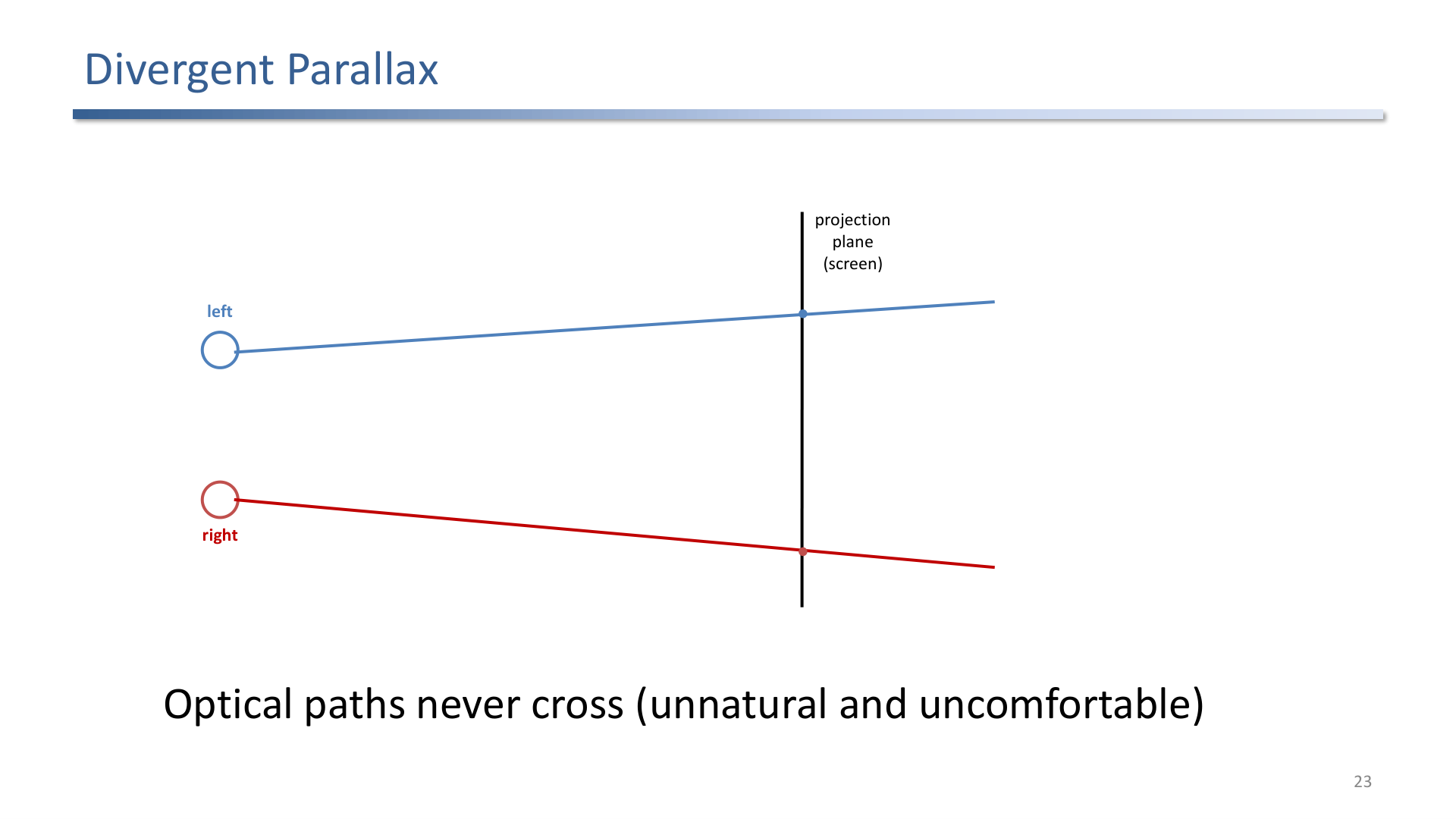
Divergent parallax is unnatural because the optical paths never cross.
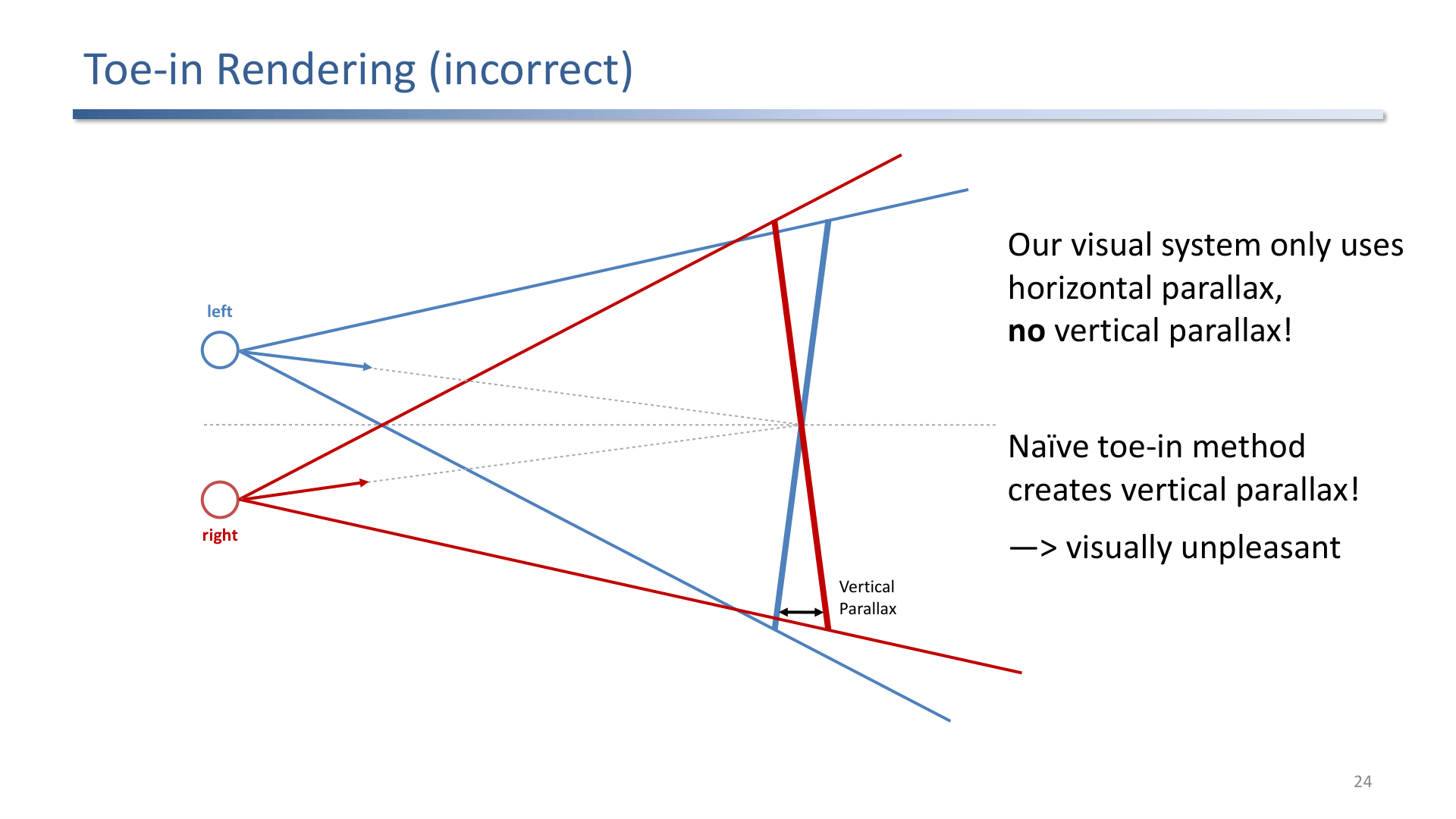
Toe-in rendering is incorrect because it creates vertical parallax, which the visual system does not use for stereo depth.
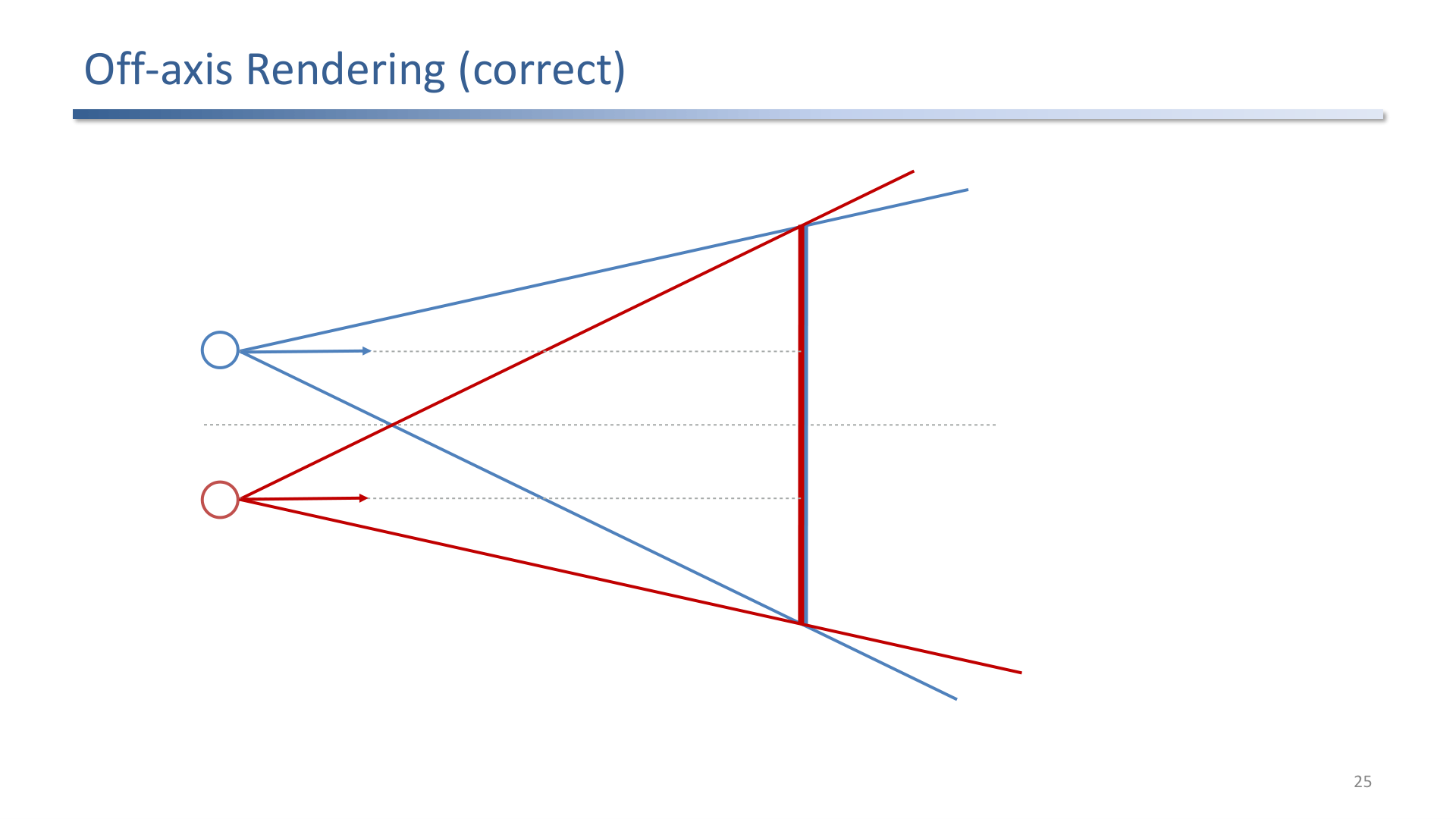
Off-axis rendering is the correct approach: cameras remain parallel while the projection frusta are shifted.
The exam-critical comparison:
| Method | What It Does | Why It Matters |
|---|---|---|
| Toe-in rendering | Rotates cameras inward | Easy but introduces vertical parallax and eye strain. |
| Off-axis rendering | Keeps cameras parallel and shifts frusta | Correct stereo geometry for comfortable horizontal parallax. |
3. Visual VR Output Hardware
VR output systems include anaglyph, polarized, shutter, CAVE-like projection, autostereoscopic displays, and head-mounted displays. Each technique separates images for the two eyes with a different tradeoff in cost, color quality, crosstalk, brightness, field of view, and user freedom.
Head-mounted displays dominate consumer VR because they move with the user and can fill much more of the visual field, but they bring optical and timing challenges.
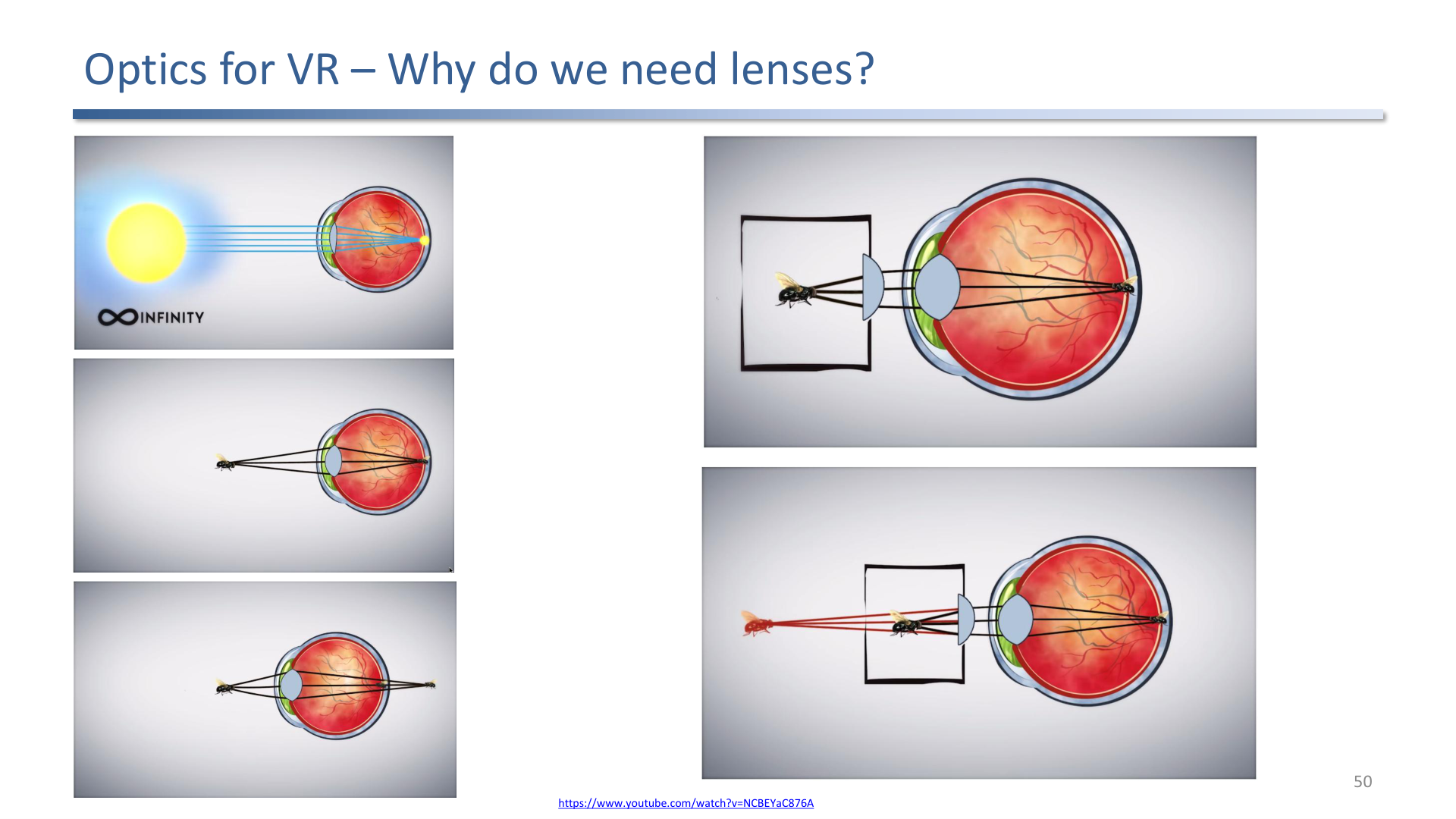
HMD lenses make a very close display focusable by shifting the apparent focal distance.
4. HMD Challenges
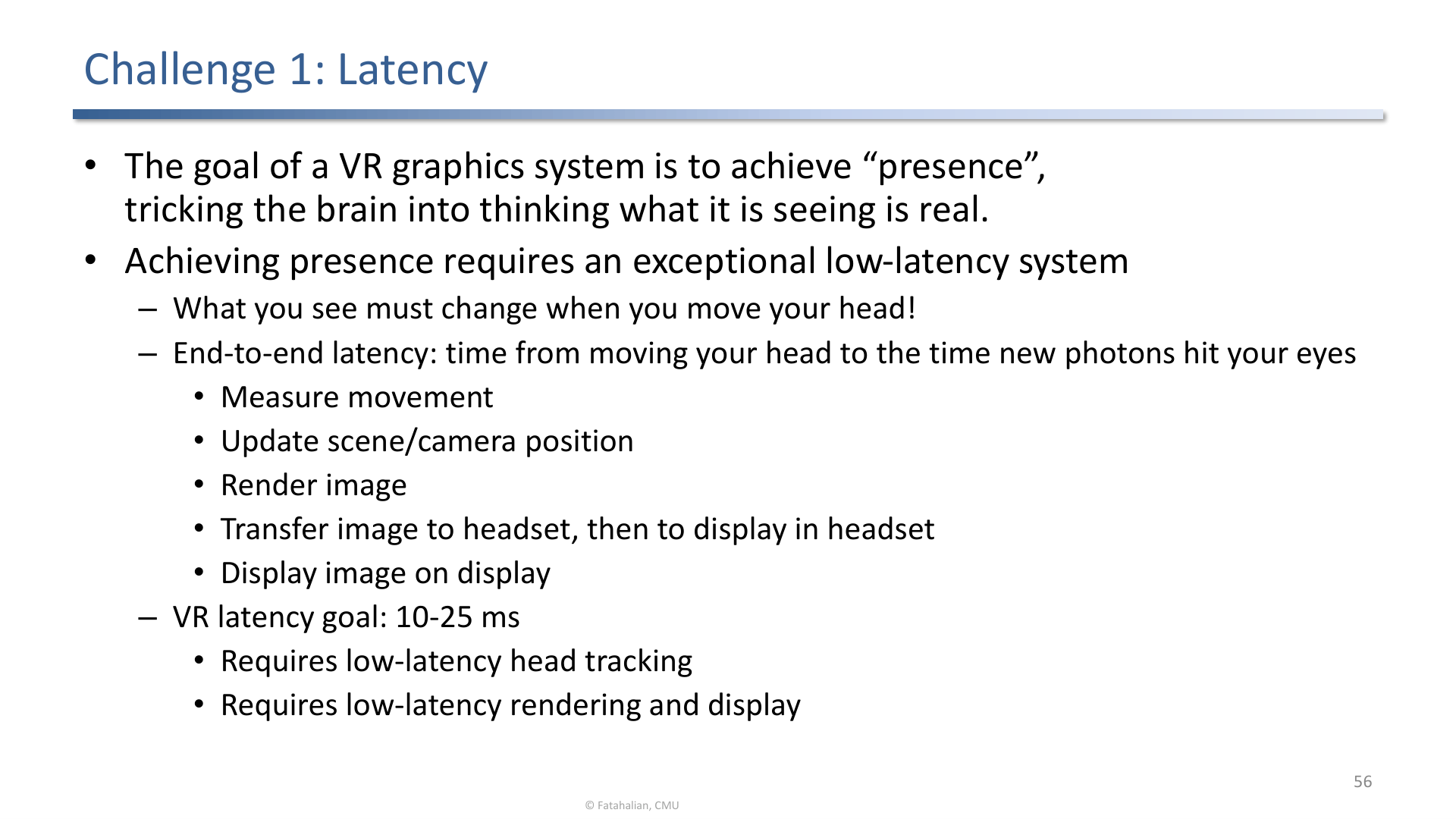
Presence requires exceptionally low latency because head motion must quickly affect the displayed photons.
Important hardware challenges:
- Latency: delay between motion and visual update breaks presence and can cause discomfort.
- Judder: visible stutter during head motion, reduced by high refresh rate and low persistence displays.
- Resolution: the human visual field demands far more pixels than a normal screen because it spans a large field of view.
- Lens distortion: lenses improve focus but introduce distortion that rendering must pre-correct.
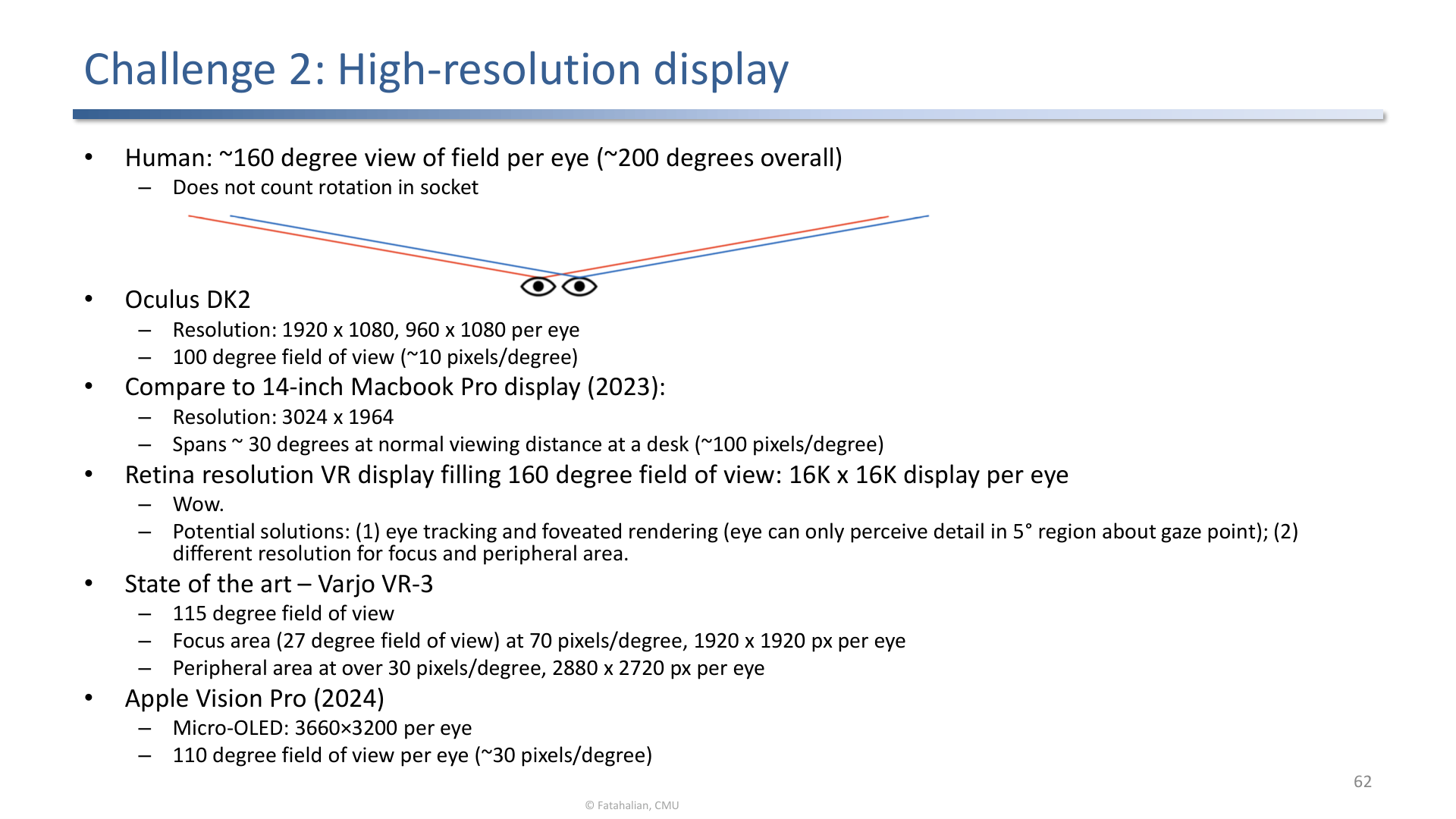
Wide human field of view makes high-resolution VR display requirements extremely demanding.
5. Vergence-Accommodation Conflict
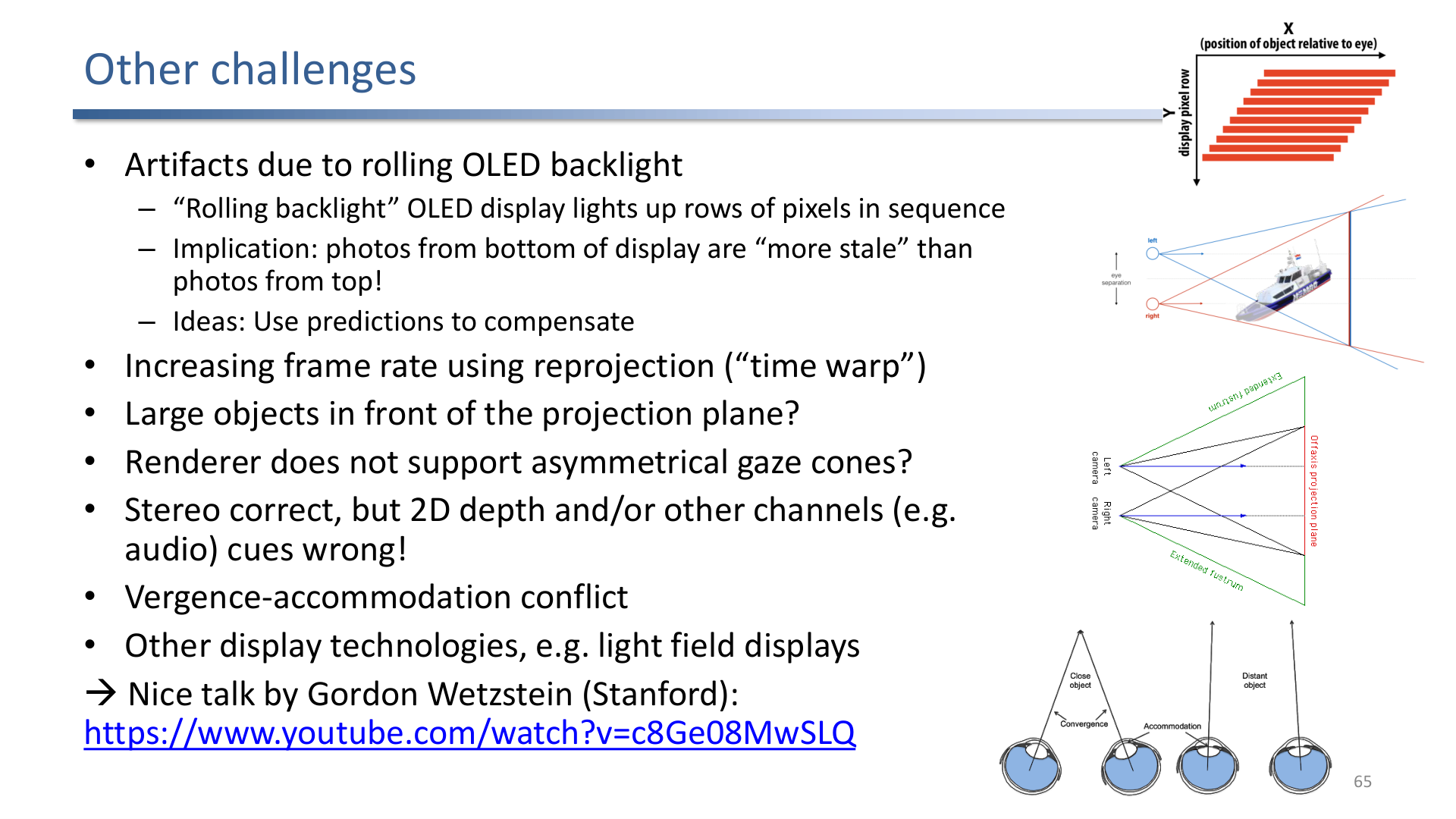
Other display challenges include rolling display artifacts, reprojection, asymmetric gaze cones, cue conflicts, and vergence-accommodation conflict.
The fixed display plane creates a mismatch:
- Vergence says the virtual object may be near or far.
- Accommodation remains tied to the physical screen or lens focal plane.
This conflict explains why comfortable UI distances matter. Light-field and varifocal displays try to reduce it, but most systems still rely on careful content placement.
Exam Focus
- Name monocular and binocular depth cues.
- Explain parallax types and why divergent parallax is dangerous.
- Compare toe-in and off-axis stereo rendering.
- Explain why HMDs need lenses and why that creates optical tradeoffs.
- Relate latency, refresh rate, and low persistence to comfort.
Self-Check
- Why does toe-in rendering create vertical parallax?
Answer
Toe-in rendering rotates the two virtual cameras inward toward the viewing target instead of keeping them parallel with shifted frusta. The rotation tilts the image planes relative to each other, so a single 3D point projects to slightly different vertical positions in the two eyes. The visual system does not use vertical disparity for stereo depth, so the result is eye strain rather than depth perception. Off-axis rendering keeps the cameras parallel and shifts the frusta, avoiding this problem.
- What is the difference between stereopsis and convergence?
Answer
Stereopsis comes from horizontal retinal disparity: the two eyes see slightly different images because they are separated by the interpupillary distance, and the brain extracts depth from that disparity. Convergence is the muscular cue: both eyes rotate inward to fixate on a near object, and the brain reads the rotation angle as depth. Stereopsis is the image cue, convergence is the motor cue.
- Why is divergent parallax uncomfortable?
Answer
Divergent parallax asks the two eyes to rotate outward so their optical axes diverge. Human eyes do not naturally diverge beyond parallel for far objects, so the visual system cannot fuse the image and the user experiences strain or double vision. Stereo content should keep parallax between zero and positive within a comfortable budget.
- What is vergence-accommodation conflict?
Answer
In a real scene, vergence (eye rotation toward an object) and accommodation (lens focus) cue the same distance. In a HMD the display sits at a fixed focal plane while vergence is driven by the rendered disparity, so the two cues disagree whenever the virtual object’s apparent depth differs from the display’s focal depth. This mismatch causes eye fatigue and constrains where comfortable UI can be placed; light-field and varifocal displays try to reduce the conflict.
- List the monocular and binocular depth cues and say which require both eyes.
Answer
Monocular cues work with one eye: motion parallax (near objects sweep across the retina faster during head motion), occlusion (nearer objects hide farther ones), linear perspective (parallel lines converge), and aerial perspective (distant objects lose contrast and shift colour). Binocular cues require both eyes: stereopsis (depth from horizontal retinal disparity due to the interpupillary separation) and convergence (the inward eye rotation needed to fixate a near object). Stereo displays add the binocular cues that a flat image lacks.
- Why do HMDs need lenses, and what optical tradeoff does that introduce?
Answer
The display sits only centimetres from the eye, far inside the eye’s near focus limit, so it cannot be focused directly. A lens shifts the apparent focal distance outward so the eye can accommodate to it comfortably. The cost is optical distortion (and chromatic aberration) introduced by the lens, which the renderer must pre-correct so the warped image looks straight through the lens. Lenses also fix the focal plane, which is what creates the vergence-accommodation conflict.
- How do a high refresh rate and a low-persistence display reduce judder?
Answer
Judder is the visible smearing or stuttering of the image during head motion, caused by the eye moving while a frame is held on a static display. A high refresh rate shortens the time between updates so the image keeps up with motion. Low persistence flashes each frame for only a brief instant rather than holding it for the whole frame interval, so the image does not smear across the retina as the eye moves. Together they keep world-fixed content sharp and stable during head turns.