Previous: (y-03.1) Stereo Rendering and Hardware | AR Index | Next: (y-04) Interaction
Mental Model First
AR display hardware decides how the real world and virtual content meet. Optical see-through keeps the real world direct but makes occlusion and registration harder. Video see-through gives the computer full control over the image but introduces camera latency, resolution limits, and safety risks.
1. Optical vs. Video See-Through
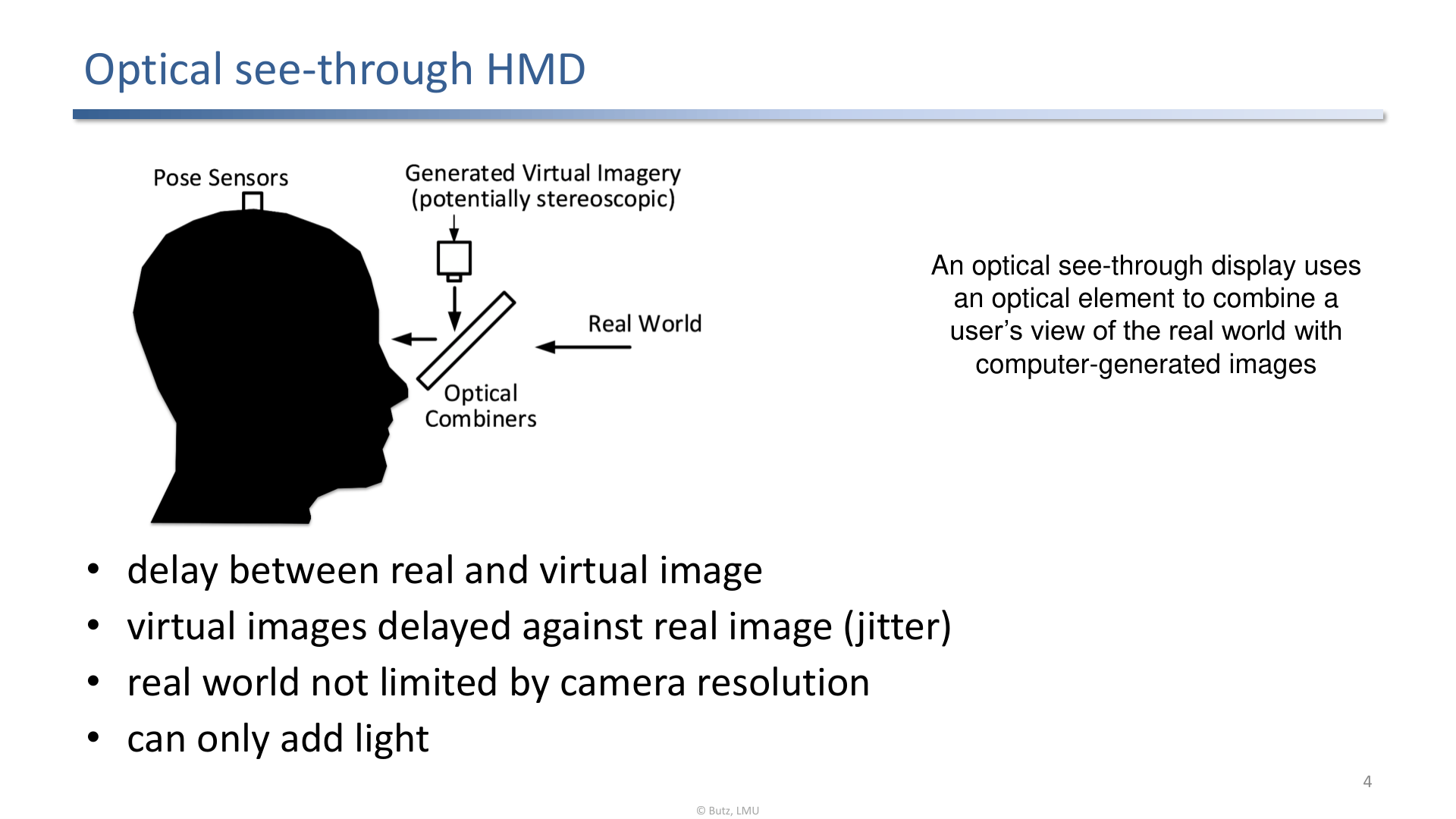
Optical see-through displays combine virtual light with direct vision of the real world.
Optical see-through (OST):
- user sees the real world directly,
- real-world latency and resolution are excellent,
- virtual imagery can be delayed relative to the real world,
- the display can mostly add light, so true black and hard occlusion are difficult.
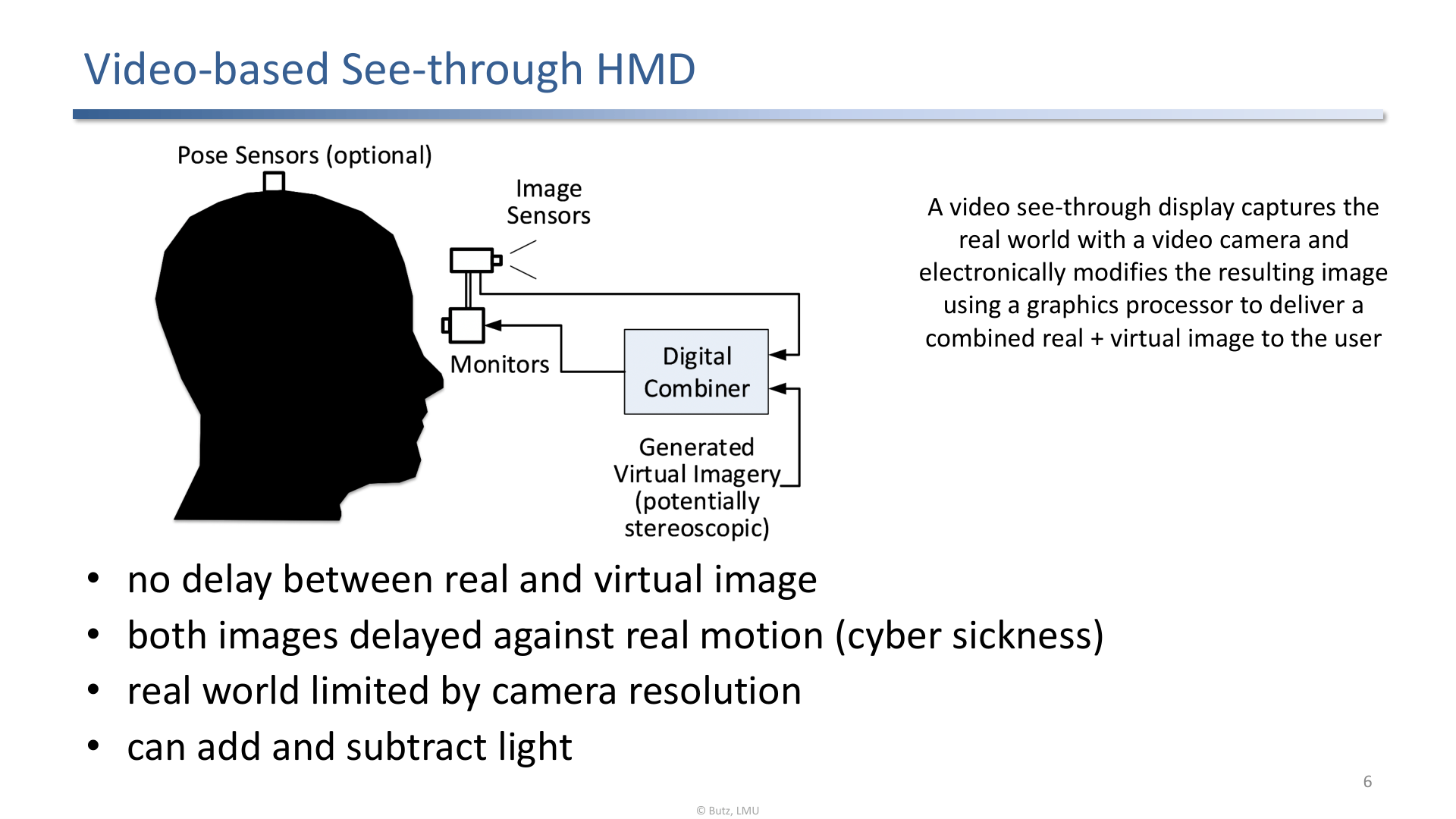
Video see-through captures the real world with cameras, combines it digitally, then displays the result.
Video see-through (VST):
- real and virtual content are both digital,
- occlusion and image processing are easier,
- both views share the same display pipeline,
- camera quality, latency, dynamic range, and failure safety become central problems.
2. Display Space Taxonomy
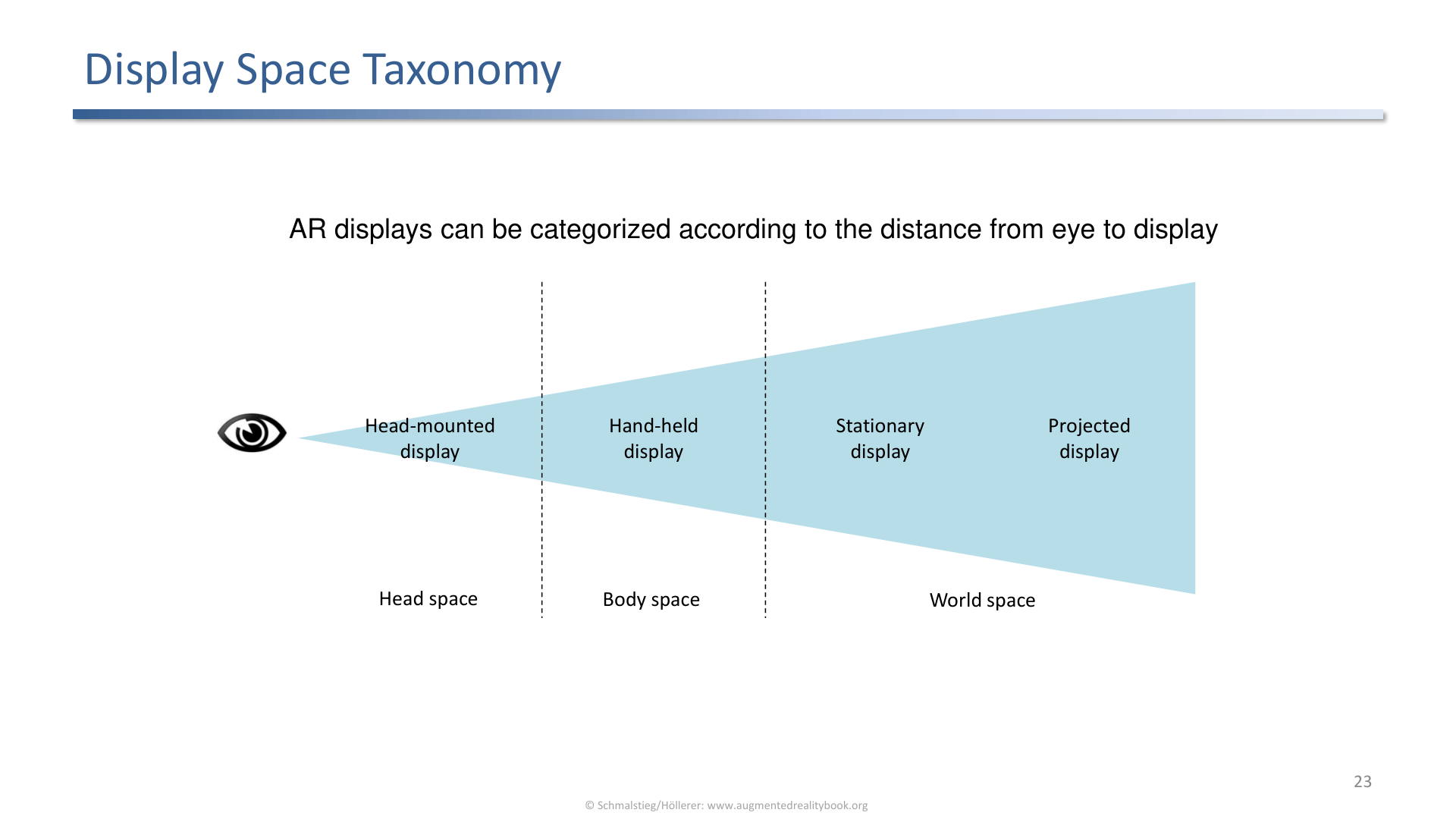
Display spaces include head-mounted, hand-held, stationary, and spatial/projection-based displays.
Display categories:
- Head-mounted: HMDs and near-eye displays.
- Hand-held: phones and tablets as magic windows.
- Stationary: fixed screens or magic mirrors.
- Spatial AR: projectors augment the physical world directly.
3. The Ideal Near-Eye AR Display
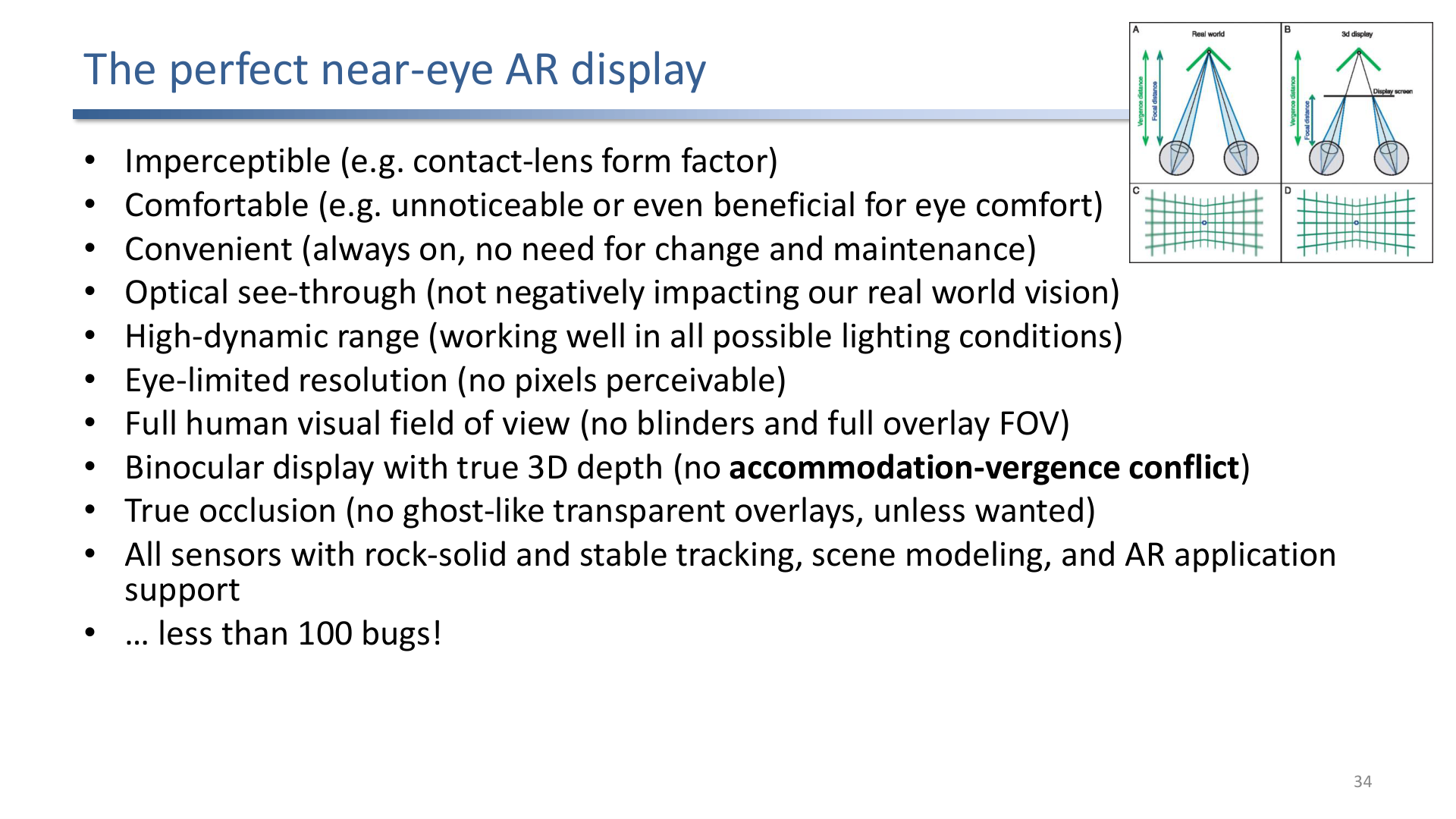
The ideal near-eye AR display would be imperceptible, comfortable, high dynamic range, eye-limited, full-FOV, binocular, true-occlusion, and robustly tracked.
This slide is a compact requirements list. A perfect AR display would be:
- always available and comfortable,
- optically unobtrusive,
- high dynamic range in all lighting,
- eye-resolution and full human field of view,
- binocular with true depth,
- capable of real occlusion,
- supported by stable tracking and scene understanding.
Current systems satisfy only subsets of this list.
4. Spatial Augmented Reality
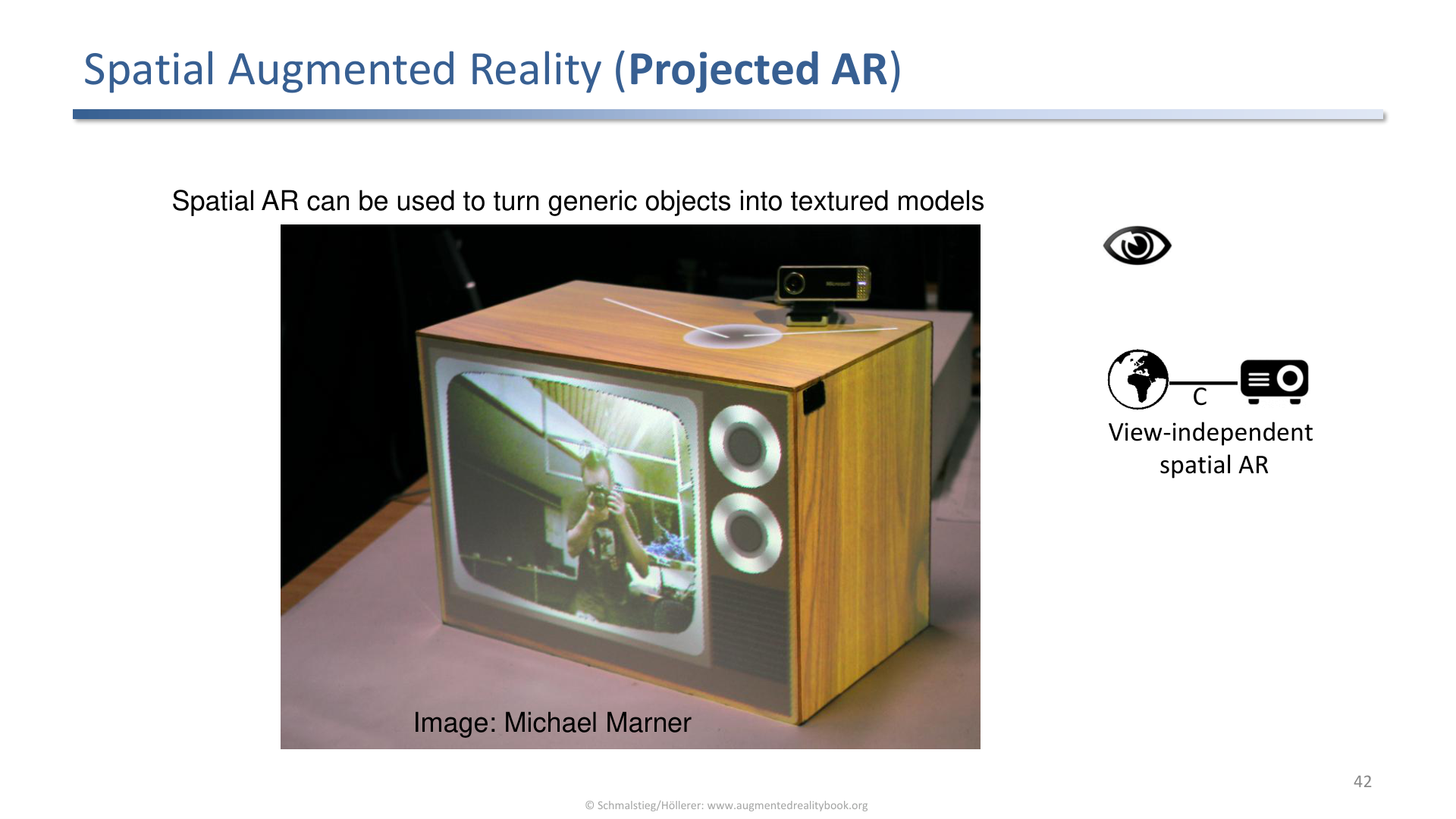
Spatial AR projects virtual imagery onto physical surfaces instead of using a worn or hand-held display.
Spatial AR moves the display into the environment. It is powerful for shared settings because multiple users can see the augmentation without wearing hardware. The tradeoff is that projection depends on surface geometry, lighting, calibration, and user viewpoint.
5. Multimodal Input Hardware
VR/AR input hardware extends beyond vision and includes hands, haptics, locomotion devices, and other senses.
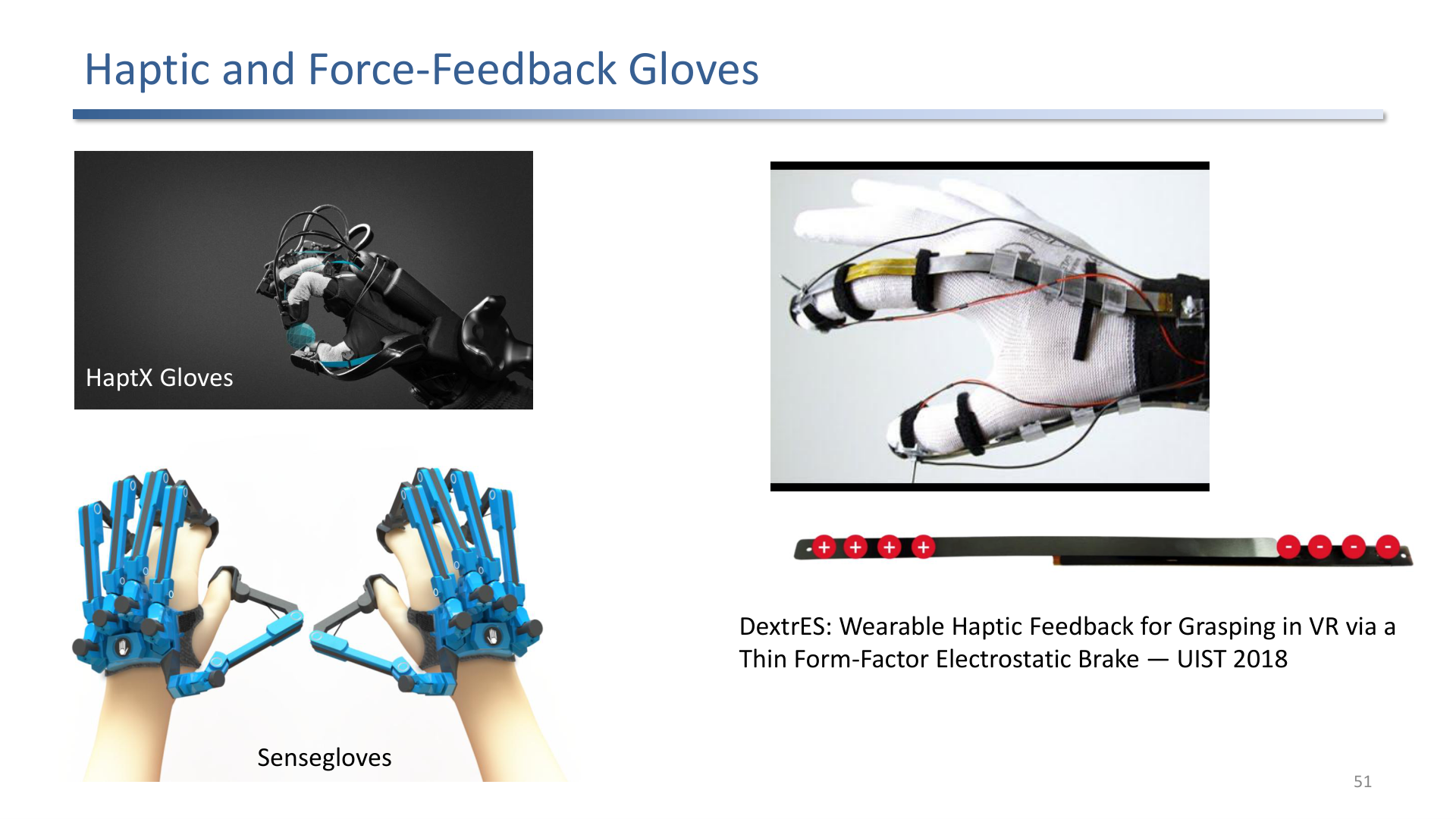
Haptic gloves and force-feedback devices try to close the gap between virtual contact and physical sensation.
Input devices include:
- data gloves for finger tracking,
- haptic gloves for tactile or force feedback,
- exoskeletons for stronger force feedback,
- treadmills and locomotion interfaces,
- audio, wind, smell, and other sensory channels.
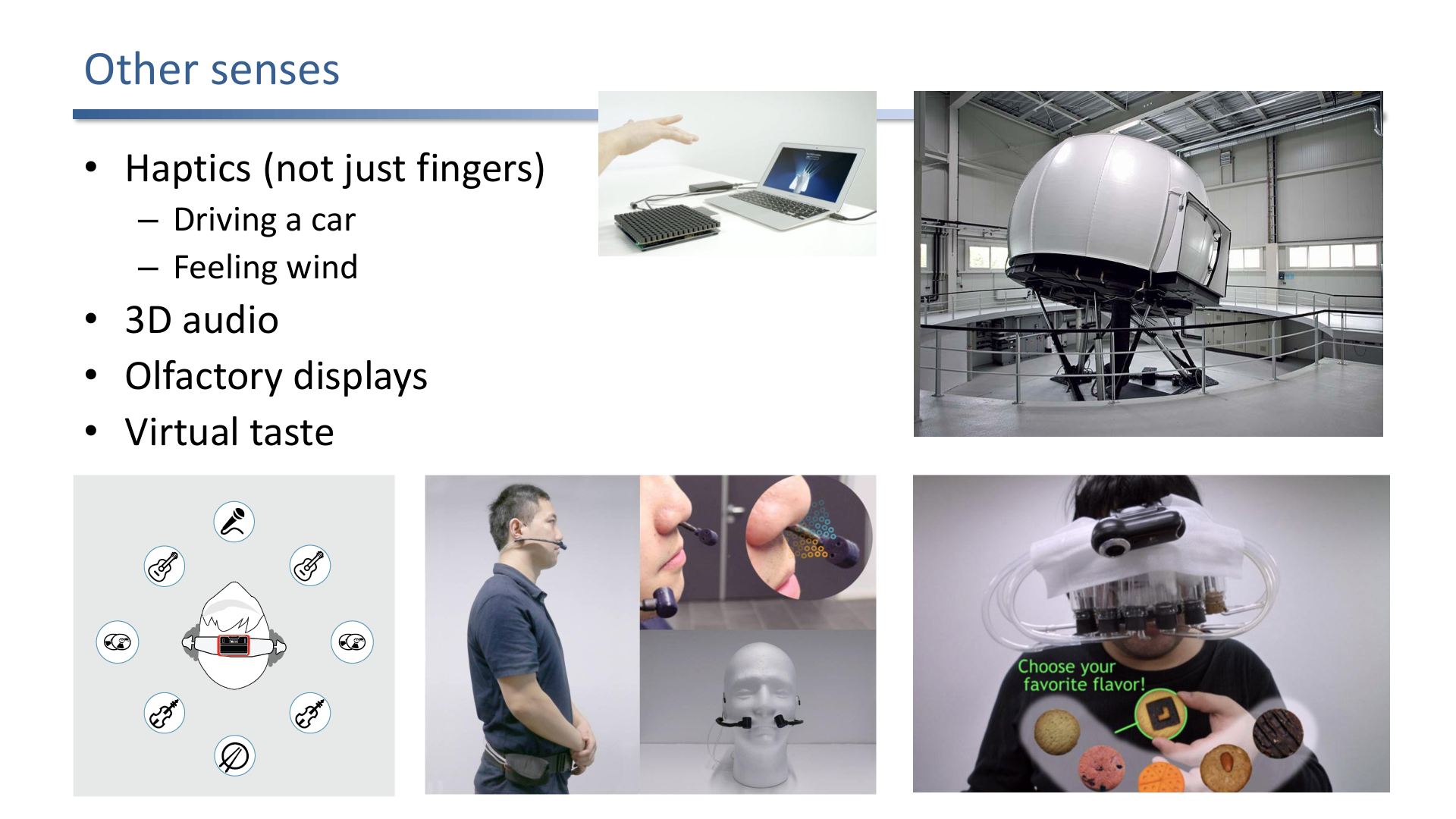
Other senses matter because presence is multisensory, not only visual.
Exam Focus
- Compare OST and VST across latency, occlusion, safety, and image control.
- Classify displays by head, hand, world, and projection space.
- Explain why a perfect AR display is still difficult.
- Connect haptics and other senses to presence and interaction fidelity.
Self-Check
- Why can OST struggle to show a solid black virtual object?
Answer
Optical see-through combines real-world light with light emitted by the display through a combiner. The display can only add light to the user’s eye, it cannot subtract incoming real-world light. So a “black” virtual region just lets the real world show through, and no amount of dimming the display produces a true black or hard occlusion edge.
- Why can VST support stronger occlusion than OST?
Answer
In video see-through, both real and virtual content are digital pixels in the same image pipeline. The compositor can simply overwrite the camera background with virtual pixels wherever a virtual object should appear, so occlusion is just a depth test. OST cannot block real light, so the same trick is unavailable without active light-modulating layers.
- What makes spatial AR useful for shared experiences?
Answer
Spatial AR projects virtual imagery onto physical surfaces rather than through a worn or hand-held display, so multiple viewers see the augmentation simultaneously without wearing hardware. That removes the per-user device cost and lets a group share a single, common augmented scene. The tradeoff is that the result depends on surface geometry, lighting, calibration, and each viewer’s perspective.
- Which display tradeoffs appear in the ideal near-eye AR display list?
Answer
The ideal-display checklist combines comfort and unobtrusiveness, high dynamic range across all lighting, eye-resolution and full human field of view, binocular true depth, real occlusion, and robust tracking and scene understanding. Real systems trade these against each other: more FOV usually means heavier optics, higher resolution costs power and bandwidth, and true occlusion needs light-blocking hardware that hurts transparency. No current device hits all of them at once.
- Compare optical and video see-through across latency, occlusion, image control, and safety.
Answer
Optical see-through shows the real world directly through a combiner, so the real view has zero latency and full resolution, but virtual content can lag the real world, true occlusion and black are hard (the display only adds light), and it is relatively safe because the wearer still sees the world if the system fails. Video see-through captures the world with cameras and composites digitally, so occlusion and image processing are easy and both views share one pipeline, but camera latency, limited resolution and dynamic range apply to the whole view, and a system failure can blind the user, which is a real safety concern.
- Name the four display-space categories with an example of each.
Answer
Head-mounted (HMDs and near-eye displays worn on the head), hand-held (phones and tablets used as a magic window), stationary (fixed screens or magic mirrors the user looks at), and spatial AR (projectors that augment physical surfaces directly). The categories differ in who can see the augmentation, how mobile it is, and how registration is achieved.